TDP stands for thermal design power, and it is the amount of sustained heat, measured in watts, that a processor’s cooling system is designed to remove. It is not a measurement of the electricity your chip pulls from the wall. Almost every argument about this spec, from forum threads to spec-sheet debates, comes down to mixing those two things up.
Intel’s own knowledge base puts it plainly: TDP is “the power consumption under the maximum theoretical load,” and consumption is lower than TDP under lighter loads. That one sentence settles most of the confusion, as long as you read “maximum theoretical load” carefully. The load in question is a specific, defined test condition at base frequency, not whatever your browser happens to be doing on a Tuesday afternoon.
Before the definitions get messy, here is the short version of what the number does and does not tell you.
- TDP measures: the sustained package power the vendor rates the part at, which equals the heat the cooler must dissipate.
- TDP does not measure: real-world wall draw, peak boost power, benchmark speed, or a maximum the chip can never exceed.
- TDP is used for: sizing heatsinks, fans and airflow, and for provisioning power in a server rack or a laptop chassis.
The rest of this guide is about where that definition breaks down, because it does break down. Read on and the wattage figure starts to make sense as a design contract rather than a consumption bill.
Table of Contents
- What Does TDP Stand for?
- TDP is a base-frequency rating
- Package TDP and core TDP are different numbers
- Configurable TDP-up and TDP-down move the target
- How Is Processor TDP Different From Actual Power Consumption?
- The five myths that keep this topic confused
- Why Does TDP Matter for Cooling?
- Does a Higher TDP Mean a Faster Processor?
- Why Can CPUs With the Same TDP Behave Differently?
- How to Compare Processor TDP Ratings
- Read the tier first
- Find the right field, not just the right number
- Check what sits next to the number
- Do not size the power supply from TDP
- Think in terms of the whole envelope
- Frequently Asked Questions
- Is TDP the maximum power a processor can use?
- Why does a processor use more power than its listed TDP?
- Does lower TDP mean a processor is slower?
- What happens if a processor exceeds its TDP?
- Is TDP measured at the CPU or at the wall outlet?
- Should I compare TDP across desktop and laptop processors?
What Does TDP Stand for?
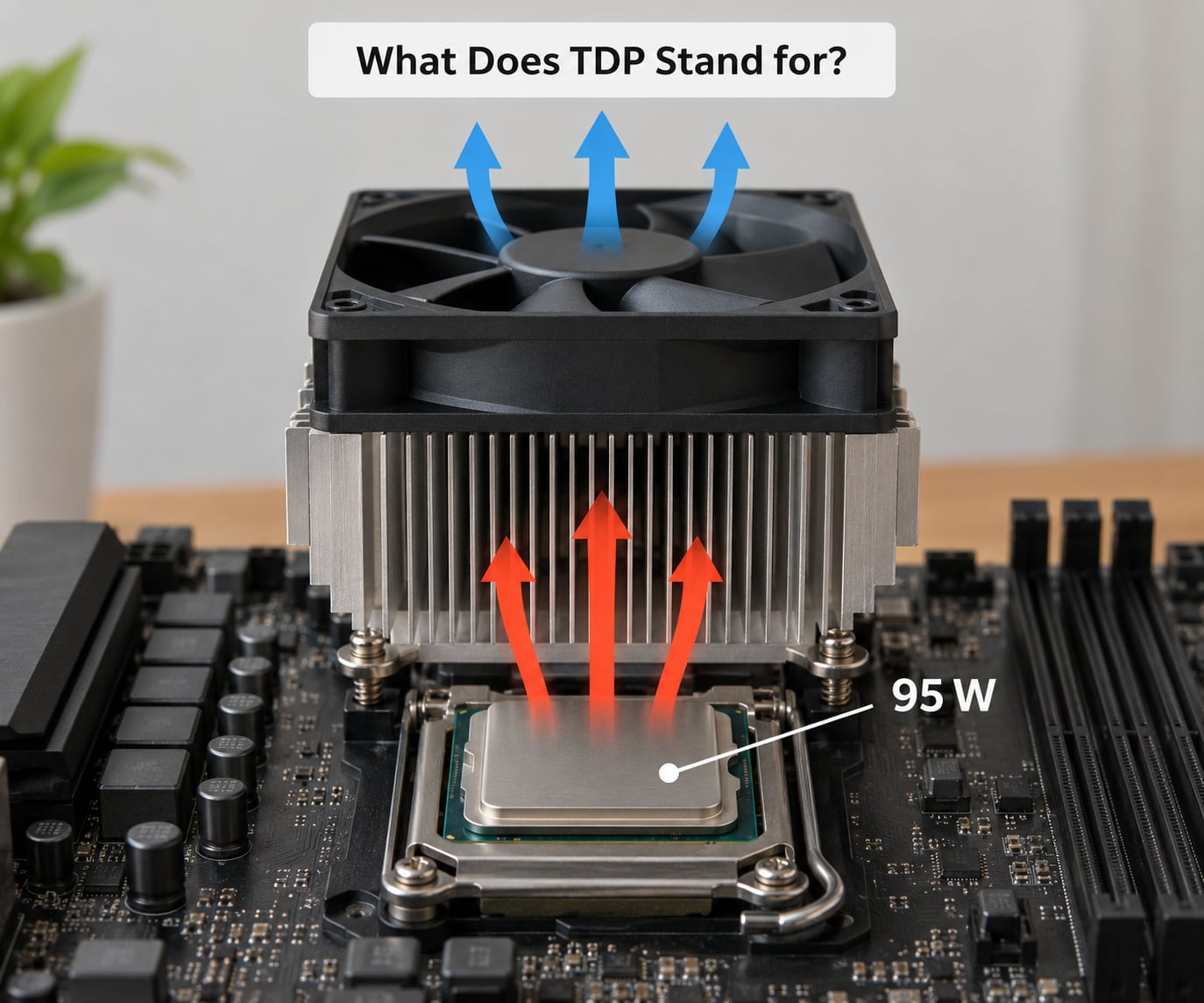
You will see TDP expanded three different ways, and all three mean the same thing to engineers: Thermal Design Power, Thermal Design Point, and Thermal Design Parameter. The variation is not a sign of sloppiness. It reflects a term that has never been pinned to a single formal standard, and each vendor has filled the gap with its own calculation method and its own choice of test conditions.
Wikipedia makes the observation that matters most for anyone comparing two parts from different vendors: the TDP rating is ambiguous because manufacturers define it using different methods and different operating conditions. Two chips both marked 65W are not necessarily comparable numbers, because one might have been rated at base frequency on a heavy sustained workload while the other was rated on a different test profile entirely.
Three details hide inside the headline wattage figure.
TDP is a base-frequency rating
The rating assumes the processor running at its rated base frequency under a defined sustained workload. Modern chips spend most of their time above base frequency, so the number you find on a spec page can sit well below what the part actually pulls while boosting. This is the mechanical explanation behind the complaint you see repeated online that one vendor’s rating looks unrealistic compared with another.
Package TDP and core TDP are different numbers
Intel publishes a package TDP covering the processor cores and the integrated graphics together, and separately reports a core TDP that leaves the graphics portion out. The two figures diverge on parts with a substantial iGPU, and the gap is not a defect indicator. It simply reflects where the watts were attributed. When you see a core TDP that looks oddly low next to the package number, that accounting rule is usually why.
Configurable TDP-up and TDP-down move the target
On many mobile and desktop parts, Intel’s ARK pages list a configurable range rather than a single figure. Per Intel’s community explanation, the configurable TDP options let the computer manufacturer modify the base frequency and the TDP of the CPU within published bounds. That is a deliberate design feature for laptop OEMs, who need one silicon part to serve a 14-inch ultrabook and a thicker workstation chassis. It also means the datasheet value is an endpoint in a range, not a fixed truth about the chip.
Starting with 12th Gen Intel Core, the terminology on ARK changed again. The TDP field was replaced by Processor Base Power, or PBP. It is a base power figure, not a ceiling on draw, and reading it as one is the most common mistake on current pages.
How Is Processor TDP Different From Actual Power Consumption?
This is the section that resolves the argument, so it is worth being precise. Three different quantities get called “power” in a PC conversation, and they stack on top of each other rather than being interchangeable.
The first is package power, the electricity delivered into the processor socket. The second is system or wall draw, everything the power supply pulls from your outlet, which is higher because conversion loses energy and because the chipset, memory, graphics card and drives draw their own current. The third is TDP, which is a vendor-published design target sitting somewhere inside that stack, not a measurement of either.
Under a light desktop workload, package power might run at a small fraction of TDP. Under a sustained all-core compile, it rises toward the rated figure. Under a short burst, it can exceed the rating for a while, because boost behaviour and the platform’s power limits will allow it until a thermal or electrical threshold is reached.
Wall draw runs above package power by a meaningful margin, because the supply converts roughly the high-eighties percent of what it draws into usable DC power at typical loads, and the rest of the board is drawing alongside the CPU.
| Term | What it is | Where it is published | Can real draw exceed it? |
|---|---|---|---|
| TDP | Sustained power the part is rated for at base frequency; the heat the cooling solution must remove | Older Intel ARK listings and processor datasheets | Yes, briefly, during boost or heavy vector workloads |
| Processor Base Power (PBP) | The 12th Gen Core and later name for the same kind of base-power figure | Current Intel ARK listings | Yes, same as TDP |
| PL1 | Long-duration sustained power limit set by the motherboard | BIOS and vendor default tables | No, it is the ceiling for sustained load |
| PL2 | Short-duration burst power limit, time-limited | BIOS and vendor default tables | No, but it permits a higher temporary draw than PL1 |
| T-junction | Maximum die temperature, damage limit, not a power figure at all | ARK and datasheet thermal specifications | Not applicable; exceeding it throttles or shuts down |
The practical consequence is that the board vendor, not the processor, decides your sustained behaviour. A 125W-rated part shipped on a board with conservative PL1 defaults will settle at the board’s sustained limit no matter what the datasheet says, which is exactly the frustration voiced in Intel community and hardware forum threads about power limits. Heavy vector workloads often draw an AVX offset that reduces the applicable limit further, because dense floating-point work is far less energy-efficient per instruction.
The five myths that keep this topic confused
| Myth | Reality |
|---|---|
| TDP is the power the CPU pulls | It is the heat the cooling solution must dissipate under a defined test condition |
| A higher TDP is a faster processor | It is a power and thermal budget, not a performance score |
| TDP tells you what power supply to buy | It sizes cooling, not the supply; total system draw is what sizes a PSU |
| TDP is a temperature limit | T-junction is the temperature limit, and it is a separate number |
| TDP is standardised across vendors | There is no single standard, and methods differ by manufacturer |
Why Does TDP Matter for Cooling?
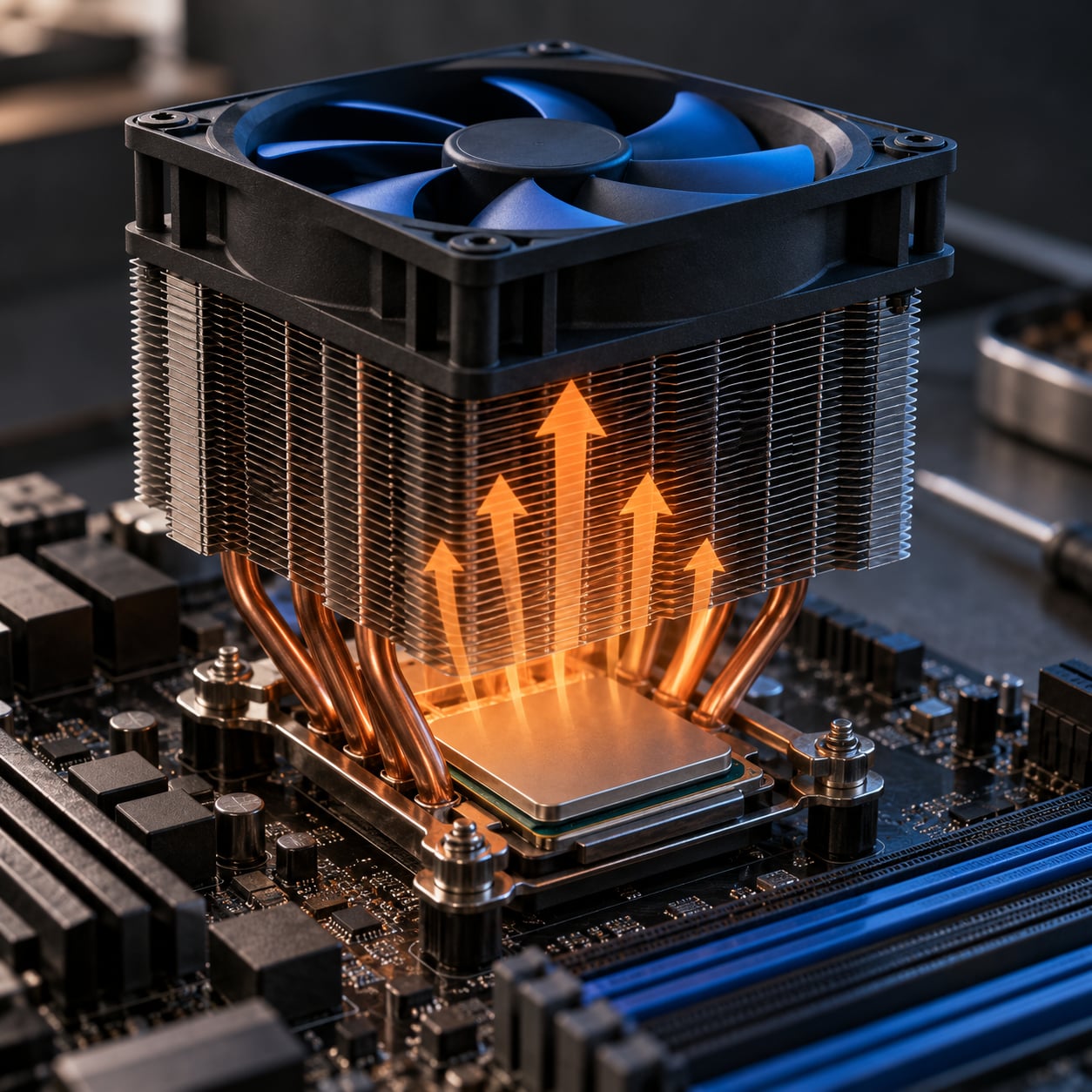
Heat moves in one direction only, and it has to leave the silicon through a fixed chain of physical interfaces. A useful mental picture runs from die to heat spreader, to thermal interface material, to the base of the heatsink, into the fins, and finally into moving air. Every step in that path has a capacity, and TDP is the number the whole chain was sized against.
Get the chain wrong and the chip protects itself. When a core reaches its temperature ceiling, the processor reduces clocks and voltage until it settles, which is what thermal throttling looks like from the outside. A workload that scored well for thirty seconds can fall well behind once the boost clock is gone, so the practical symptom is a machine that is fast in short bursts and slower in long compiles, renders or video exports.
This is where TDP earns its keep. If a cooler is rated to dissipate less than the processor’s TDP, it can only hit equilibrium by running at a higher temperature than intended, which costs you clocks or noise. If it is rated comfortably above, you get headroom for the boost excursions that the base-frequency rating deliberately ignores.
Two practical points for specific form factors. In a desktop, case airflow and a tower cooler sized a tier above the bundled cooler usually remove any doubt. In a laptop, the chassis itself is the thermal solution, and the OEM’s choice of a TDP envelope inside the configurable range determines whether the part is quiet or throttled, which is why two machines with the same silicon can behave very differently.
Does a Higher TDP Mean a Faster Processor?
Not on its own. TDP is an envelope, not a score. Two parts rated at the same wattage can have very different performance, and two parts with very different wattages can perform similarly.
Higher power budgets do tend to allow more sustained performance, and there are legitimate reasons for that. More thermal headroom means the boost clock can be maintained through a long all-core workload instead of collapsing once the heatsink saturates. More power headroom means higher all-core turbo settings, since the silicon can be given more current and voltage inside a safe temperature limit. In practice, the parts that feel fastest in heavy sustained work are often the ones with the larger budgets.
But efficiency changes the answer, and this is where the shopping decision actually gets made. A modern core built on a newer process node can deliver more work per watt than an older one at the same TDP. Comparing a current part against a previous generation on wattage alone is like comparing fuel economy between a car from 2005 and one from 2026: the older car with the bigger engine specification is not automatically the better car.
Performance per watt is the metric that matters for laptops, for small form factor builds, and for any system where the power budget is capped by something other than your own choice. There, a lower-TDP part that holds its frequency under load often delivers more usable throughput than a higher-TDP part that throttles.
Why Can CPUs With the Same TDP Behave Differently?
Equal wattage ratings produce unequal results for reasons that have nothing to do with the rating itself.
- Process node. Leakage current and switching losses scale with transistor geometry, so two chips at the same voltage on different nodes do not draw the same current for the same work.
- Architecture and IPC. Instructions retired per cycle change how much work a given wattage completes. Two identically rated cores can differ substantially in real throughput.
- Integration. What sits on the package changes the thermal picture. A large shared cache, memory controllers and an integrated GPU all move heat through the same spreader, whether or not the TDP figure attributes the watts to the cores.
- Voltage and frequency states. The DVFS tables a vendor ships decide how aggressively the part is allowed to climb. The same silicon can be configured to prioritise efficiency or peak clocks.
- Workload shape. A workload with high memory latency sensitivity or low instruction density leaves power headroom unused, while a dense vector workload drives straight into the power limit.
- Cooling quality. TDP assumes a thermal solution within specification. A cooler at the edge of its rating holds lower temperatures and lower clocks than a better-cooled identical chip.
- The rating method itself. AMD and Intel have historically differed in what their published figures assume, which is why cross-brand wattage comparisons need a caveat rather than a conclusion.
How to Compare Processor TDP Ratings
Here is the practical part. A wattage figure is only useful when you know what was measured and where the number came from.
Read the tier first
Most buying decisions reduce to a tier lookup, and the wattage classes map fairly consistently onto form factor and cooling class.
| Rated TDP | Typical processor class | Cooling class | Where you meet it |
|---|---|---|---|
| 15W | Low-power embedded and tablet silicon | Passive or a small fan | Embedded boards, tablets |
| 28W | Thin-and-light laptop processors | Passive or a slim blower | Ultrabooks and fanless designs |
| 45W | Efficient laptop and efficient desktop parts | Modest heatsink | Thin laptops, some desktop chips |
| 65W | Mainstream laptop and mid desktop | Small tower or a good bundled cooler | The most common desktop figure |
| 95W | Performance laptop and mainstream-to-high desktop | Substantial tower cooler | Mainstream enthusiast builds |
| 105W to 125W | High-end desktop and unlocked parts | Large tower cooler, 240mm liquid | Gaming and workstation desktops |
| 170W and above | High-end desktop, high thread-count server parts | Dual tower or 280mm liquid and up | Prosumer desktops, dual-socket servers |
| 220W and above | Extreme desktop and multi-socket server CPUs | Server-grade cooling, dedicated airflow | Datacentre sockets, rack servers |
A 45W figure tells you the part sits in the thin-and-light or efficient desktop class. It does not tell you the chip pulls 45W, and it does not tell you how fast it is. A 120W part is a mainstream-to-high-end desktop tier that expects a substantial tower cooler. A 95W rating, which comes up constantly in buying questions, is a mainstream desktop figure with plenty of performance headroom behind it.
Find the right field, not just the right number
On Intel, open ARK and search the processor number. For 12th Gen Core and later, read the Processor Base Power field. For earlier generations, the field is labelled TDP. If either part of the listing shows a configurable range, note the endpoints rather than a single number, because the OEM chooses inside that window.
On AMD, the equivalent figure sits on the product page under the specifications, expressed as default TDP. Read it as a class indicator in the same way. Laptop parts in the U, H, P and HS families are frequently published with a range or with no single figure at all, which is why laptop comparisons lean on measured battery behaviour and sustained clocks instead.
Check what sits next to the number
Read T-junction alongside the wattage figure, because they answer different questions. TDP sizes the heatsink. T-junction is the temperature at which the silicon protects itself. A part with a generous wattage budget and a modest temperature ceiling behaves very differently from the reverse.
Do not size the power supply from TDP
Total system draw decides the supply, not the CPU’s rating. Add the graphics card, memory, drives, chipset and fans, then add conversion losses. A 125W CPU paired with a 300W graphics card belongs in a supply sized for both of them plus overhead, and TDP contributes only one term to that calculation.
Think in terms of the whole envelope
For the engineers and designers reading this: TDP is a budget that shapes the silicon before anyone buys a cooler. It constrains which process node is viable, how far voltage and frequency scaling can be pushed, how the DVFS state tables are written, and whether the design makes sense as one die or as chiplets with separate power islands. A power target set too high forces an expensive node or a package that cannot be cooled in the target chassis. A power target set too low leaves silicon capability unused. In a datacenter, the same number becomes a rack planning input, since dual-socket configurations sum per-socket budgets and the facility must provision above the datasheet figures to cover burst behaviour and ageing.
Once you read TDP that way, the number stops being a spec to memorise and becomes the design target it was always meant to be.
Frequently Asked Questions
Is TDP the maximum power a processor can use?
No. TDP is the sustained power the vendor rates the part at, which is also the heat its cooling solution must dissipate. A processor can pull more for short periods during turbo or heavy vector workloads, until a thermal or electrical limit forces clocks down. Treat TDP as the design target it was published for, not as a ceiling the hardware enforces.
Why does a processor use more power than its listed TDP?
TDP is rated at base frequency under a defined sustained workload, while the part usually runs above base frequency. Boost behaviour, the platform’s PL1 and PL2 limits, and voltage and frequency scaling all push real consumption past the published figure at times. Under lighter workloads it falls short instead. Both directions are normal.
Does lower TDP mean a processor is slower?
Not necessarily. Efficiency has improved enough that parts with lower power budgets can match or beat older higher-wattage silicon. In a laptop or a small chassis where the power budget is capped by the design, the cooler-running part often delivers more sustained throughput. Compare measured behaviour and performance per watt rather than wattage alone.
What happens if a processor exceeds its TDP?
Nothing catastrophic, because TDP is not an enforced limit. The processor can run above it until it reaches a power limit set by the motherboard, a temperature limit at T-junction, or a delivery limit in the platform. At that point it reduces clocks and voltage, which is thermal or power throttling. Sustained heavy load stays at the lower number.
Is TDP measured at the CPU or at the wall outlet?
Neither. TDP is a datasheet design target derived from a worst-case thermal analysis, not a live measurement. Package power is the draw at the socket, which tools such as Intel RAPL or hardware monitoring utilities can report. Wall draw is higher still because it includes the rest of the system and power supply conversion losses.
Should I compare TDP across desktop and laptop processors?
Loosely. Manufacturers define the figure differently, so cross-vendor and cross-segment wattage comparisons are approximate. A 45W laptop part and a 45W desktop chip are not directly comparable, because the laptop’s figure sits inside a configurable envelope chosen by the OEM. Use TDP to place a part in a class, not to predict a benchmark result.
So, what TDP means for processors in one line: it is the heat, in watts, that the cooling system was designed to remove, and nothing else. When you next compare two chips, find the figure on the vendor page, note whether it is TDP or Processor Base Power, check the temperature ceiling beside it, and then size your cooler one tier above what you found. Ignore the number when you pick a power supply.