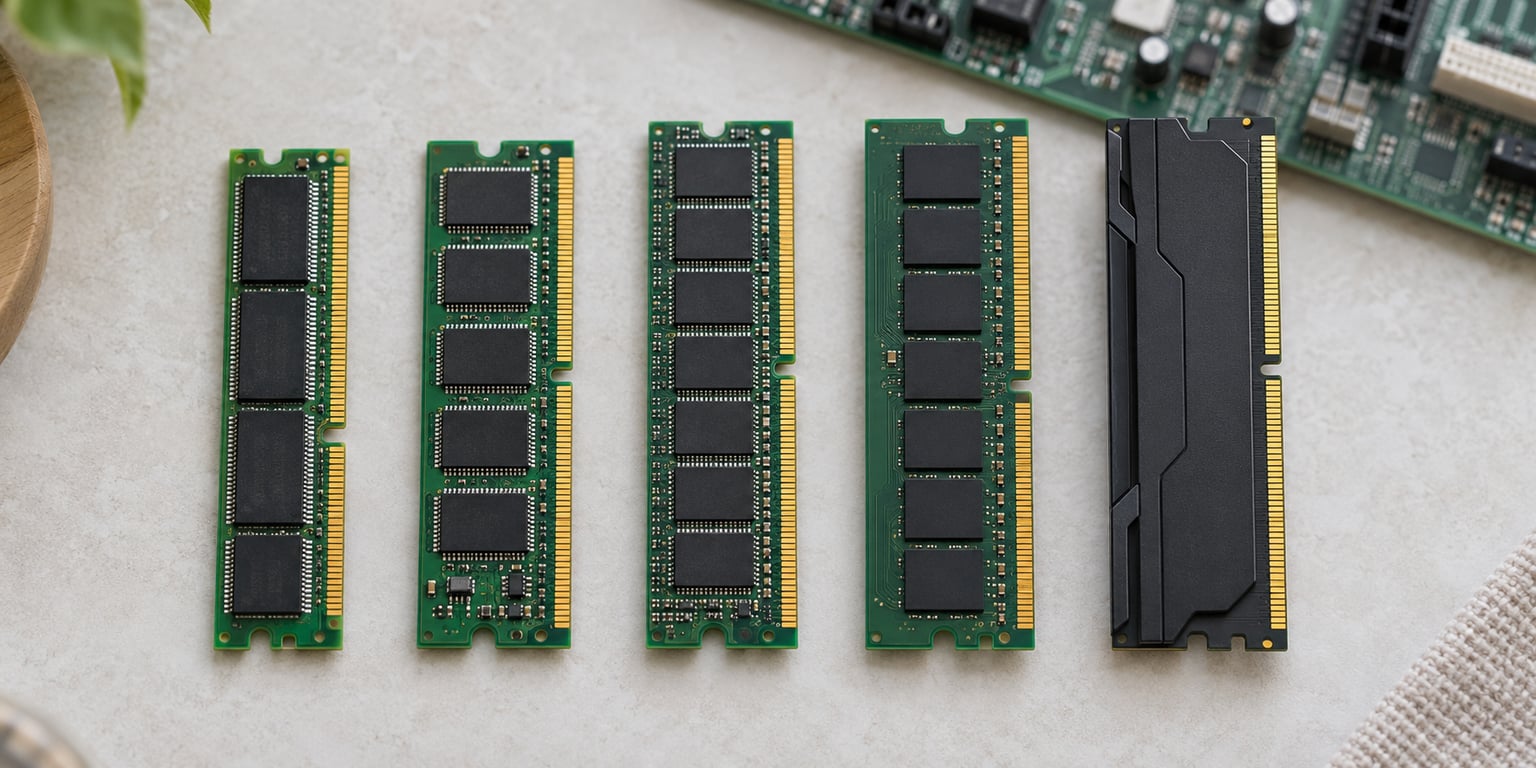
DDR memory generations explained in short: DDR memory is double data rate synchronous DRAM, and each numbered generation (DDR1 through DDR5) is a separate JEDEC standard that raises bandwidth, cuts voltage and packs more capacity into the same class of module. The generations are not interchangeable, so knowing which one your platform supports comes before anything else. This guide walks the whole timeline, then shows you how to identify what you already own.
Specifications below follow the JEDEC published figures for each standard and are current as of October 2026. Overclocked module speeds are higher than the JEDEC baseline, and I flag where that matters.
Table of Contents
- DDR Memory Generations at a Glance
- How DDR Memory Transfers Data
- What Changed From DDR to DDR5?
- Original DDR: The Foundation
- DDR2: Lower Voltage and Higher Density
- DDR3: The Long-Lasting Mainstream Standard
- DDR4: Higher Bandwidth and Lower Demand
- DDR5: Two Subchannels and Greater Efficiency
- DDR Memory Speeds, Latency, and Real Performance
- Understanding DDR Memory Generations
- How to Choose a Compatible DDR Generation
- What Is Still Used Today?
- DDR Memory Frequently Asked Questions
- What are the main DDR memory generations?
- Is DDR5 backward compatible with DDR4?
- What does 3200 MT/s mean for a DDR4 module?
- Do I need DDR5 if my motherboard supports DDR4?
- Can I mix different speeds or capacities of DDR memory?
- Is DDR3 still useful for upgrades or repairs?
- Conclusion
DDR Memory Generations at a Glance
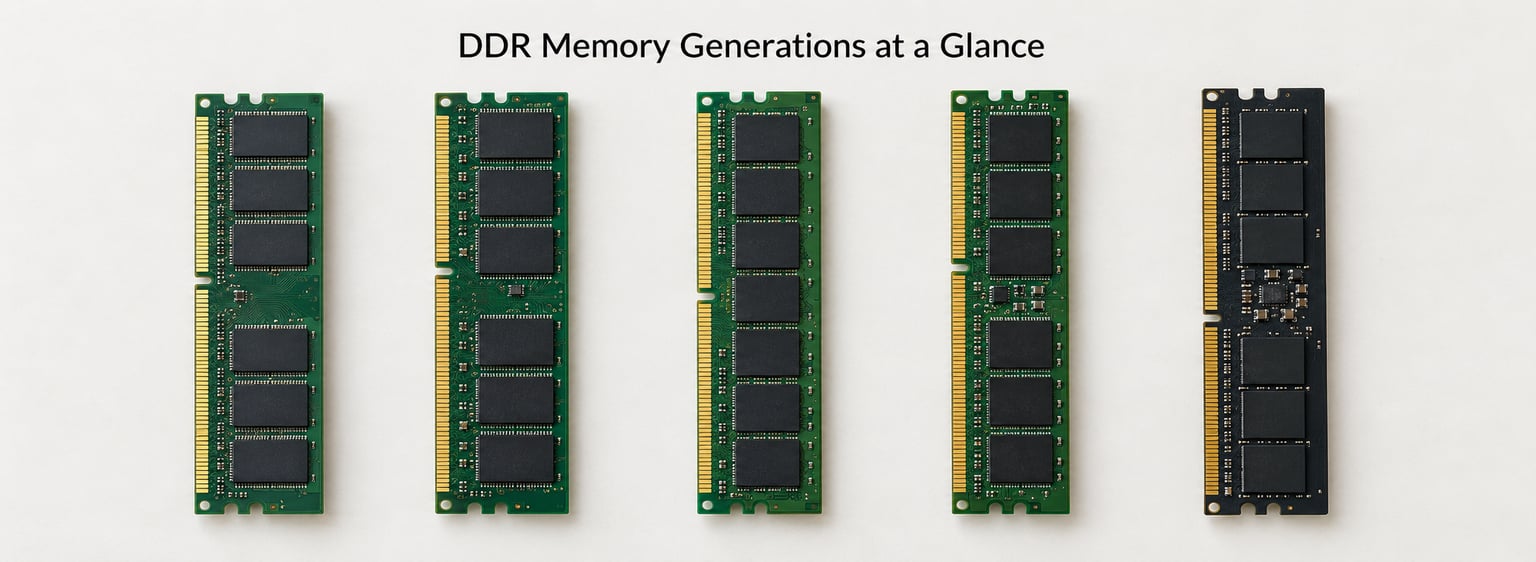
Every generation since 2000 has kept the same core idea — move two bits per clock cycle instead of one — and changed everything about how that data is fetched, delivered and powered. The table below is the whole story on one page.
| Generation | Introduced | Typical data rate | Module voltage | Pins | Prefetch | Key practical distinction |
|---|---|---|---|---|---|---|
| DDR1 (original DDR) | 2000 | 266–800 MT/s | 2.5 V | 184 | 2n | First double data rate desktop SDRAM; effectively obsolete |
| DDR2 | 2003 | 400–1066 MT/s | 1.8 V | 240 | 4n | First major voltage drop; not backward compatible with DDR1 |
| DDR3 | 2007 | 1066–2133 MT/s | 1.5 V (1.35 V DDR3L) | 240 | 8n | The long-lived mainstream standard of the 2010s |
| DDR4 | 2014 | 1600–3200 MT/s | 1.2 V | 288 | 8n | Bank groups and channel improvements at lower power |
| DDR5 | 2020 | 4800–8000 MT/s | 1.1 V | 288 | 16n | Two 32-bit subchannels per module, on-module power management |
Note the pin counts. DDR2 and DDR3 both use 240 pins but are not interchangeable, and DDR4 and DDR5 both use 288 pins and are still not interchangeable. Pin count alone tells you nothing useful here.
How DDR Memory Transfers Data
DDR memory is synchronous DRAM, which means the memory array and the output circuit share a clock. “Double data rate” means the module moves data on both the rising and the falling edge of every clock cycle, so each cycle carries two transfers.
That distinction is where a lot of confusion starts. The physical clock on a DDR5-6400 module runs at 3200 MHz, and the module performs 6400 transfers per second. The headline number is therefore MT/s, megaTransfers per second, not MHz. When a retailer or a spec sheet calls it “6400 MHz,” it is describing the underlying clock, not the transfer rate.
A concrete example makes the arithmetic obvious. Take a DDR4-3200 module: the memory clock is 1600 MHz, and it delivers 3200 MT/s. Each transfer moves one byte on a standard 64-bit module, so eight transfers per nanosecond across a 64-bit (8-byte) bus give roughly 25.6 GB/s of theoretical bandwidth per module. Double the clock to 3200 MHz and you get DDR4-6400 at 6400 MT/s, or about 51.2 GB/s per module.
Bandwidth is not the same thing as latency, and the two move independently. More transfers per second helps when you are streaming large blocks; it does nothing for the delay before the very first word arrives. That is why a DDR4 kit at CL16 can beat a DDR5 kit at CL40 in frame-rate-bound games.
What Changed From DDR to DDR5?
Original DDR: The Foundation
The original DDR, now called DDR1, arrived in 2000 as the successor to plain SDR SDRAM. It ran a 64-bit data bus on a 184-pin DIMM, delivered roughly 266 to 800 MT/s at 2.5 V, and used 2n prefetch — the internal core fetched two bits per clock.
The engineering reason it existed was bandwidth, and the engineering cost was power. Running a 2.5 V rail through a dense memory array meant serious heat, which is exactly the pressure that pushed the next generation in a particular direction. DDR1 is now historical; you will meet it in retro machines and in old server memory, not in anything you would build this year.
DDR2: Lower Voltage and Higher Density
DDR2 launched in 2003 and moved the module standard to 1.8 V on a 240-pin package. Prefetch depth doubled to 4n, and internal die density improved enough to support larger modules.
Despite the shared 240-pin count, DDR2 is not a drop-in replacement for DDR1 — the notch position differs, the pinout was reassigned, and the operating voltage does not match. That is the pattern for the rest of the timeline: each generation reuses an older connector footprint at best, and never reuses the electrical contract. Systems that ran DDR2 gained real bandwidth over their DDR1 predecessors only when paired with a matching controller and chipset.
DDR3: The Long-Lasting Mainstream Standard
DDR3 arrived in 2007 and settled on 1.5 V for standard modules, with a 1.35 V DDR3L variant that later became the norm in laptops and compact systems. It kept the 240-pin layout, moved to 8n prefetch and covered 1066 to 2133 MT/s on the JEDEC range.
This is the generation most desktops and laptops shipped with during the 2010s, which is why so much upgrade advice still has to mention it. The long life came from a good balance: the voltage drop freed up the power budget, and 8n prefetch gave the memory core enough headroom to keep up with faster controllers without the wild power cost DDR5 later had to solve another way.
DDR4: Higher Bandwidth and Lower Demand
DDR4 launched in 2014 and dropped the standard rail to 1.2 V while moving to a 288-pin module, spanning 1600 to 3200 MT/s on the JEDEC baseline. The big internal change was bank groups: instead of one set of banks, DDR4 divides them into groups so the controller can pipeline reads and writes across them.
That is a scheduling improvement rather than a raw speed trick, and it is why DDR4 held up well in real workloads despite launching at a slower headline rate than DDR3’s eventual ceiling. For buyers, single-rank versus dual-rank mattered: two ranks per channel give the controller more independent pages to switch between, which can help at low speeds and costs a little capacity flexibility. DDR4 became the default for both desktops and laptops, and a large installed base still runs on it today.
DDR5: Two Subchannels and Greater Efficiency
DDR5 launched in 2020 at 1.1 V on a 288-pin module, starting at 4800 MT/s and running to 8000 MT/s on the JEDEC baseline, with 16n prefetch inside the core. The structural change that matters most is the split channel: a DDR5 module presents two independent 32-bit subchannels per 64-bit module instead of one 64-bit channel.
Two narrower subchannels mean each controller channel sees half the data width per access, so it reaches a higher data rate without demanding a proportional rise in I/O signalling. The trade-off is a bandwidth penalty when you run a single stick — a single DDR5 DIMM cannot fill one conventional 64-bit memory channel, which is why matched pairs remain the sensible default.
DDR5 also moved voltage regulation and housekeeping onto the module itself, with a power management integrated circuit and on-die ECC that corrects data inside each DRAM die. That on-die ECC covers bit errors inside the memory array; it is not a replacement for system-level ECC with additional parity bits, and it does not spare you from data-loss events such as an uncorrectable row failing. A separate command and address bus, kept independent from the data path, reduces signalling congestion further.
DDR Memory Speeds, Latency, and Real Performance
Memory speed is quoted as a transfer rate in MT/s, and CAS latency is quoted as a number of clock cycles. DDR5-5600 CL40 means the module performs 5600 transfers per second with a CAS latency of 40 clock cycles. Both numbers matter, and neither alone tells you how a machine will feel.
The figure that actually connects them is first-word latency, measured in nanoseconds. The calculation is simple: CAS latency divided by half the transfer rate, then scaled so the result lands in nanoseconds. For DDR5-5600 CL40, take 40 cycles, multiply by the 1.78 ns cycle time of a 5600 MT/s module, and you land near 71 ns. For DDR4-3200 CL16, the same math gives roughly 10 ns. That gap is why a latency-bound game can run faster on DDR4.
Real workloads are a mix. Large file transfers, compression, video encoding and virtual machine churn lean on bandwidth. Frame rates in many games, and anything that waits on a single dependent memory access, lean on latency. A generation upgrade therefore does not deliver a proportional speed-up, and the gap between the marketing number and the measured one is widest in the latency-bound cases.
Understanding DDR Memory Generations
The cleanest way to hold DDR memory generations explained in your head is as a series of successive JEDEC standards rather than one interface with faster speed bins. Every generation changed the signalling, the internal prefetch depth, the power delivery and often the module package itself. DDR1 is not a slow DDR4; it is a different standard that a DDR4 controller cannot drive at all.
That framing also explains why forum advice keeps landing on the same conclusion: the motherboard QVL and the CPU memory controller, not the number printed on the box, decide how much of a module’s rated speed you will actually get. Overclocking profiles such as XMP and EXPO help, but they still hand the final say to the controller’s silicon and firmware.
How to Choose a Compatible DDR Generation
Start from the platform, not the module. Find your exact CPU and motherboard model, then check the manufacturer’s memory support list. Everything else follows from that.
Here is the order I work through:
- Identify the platform. CPU model and motherboard model number, checked against the manufacturer’s memory support page. This alone answers the generation question.
- Confirm the form factor. Desktops take full-length UDIMMs; laptops take SO-DIMMs. A desktop RDIMM or ECC-UDIMM is a server part and needs a board that supports it explicitly.
- Check the supported speed and voltage. The JEDEC baseline always works; anything above it depends on the controller and the QVL.
- Decide capacity before speed. Moving from 8 GB to 32 GB is felt far more in daily use than moving one generation up at the same capacity.
- Match modules in pairs. Two matched sticks are simpler for the controller and, on DDR5, avoid the single-stick split-channel bandwidth penalty. Adding a fourth module to an already-full two-channel board stresses the controller more than it adds bandwidth.
- Update the BIOS if the board is recent. Faster speeds on new platforms are frequently gated behind a firmware revision, and boards that will not POST at the advertised rate until then are one of the most common upgrade complaints.
One warning that saves a lot of returns: DDR generations are generally not physically or electrically interchangeable. Different voltages, different notch positions, different pin assignments and a different memory controller mean a module that looks similar will not seat or will not run. In the 2026 desktop and laptop market, a DDR4 board cannot be made to run DDR5, and a DDR5 board cannot run DDR4.
Where it is genuinely possible, mixing is limited. Mixing speeds within one generation is allowed — the controller falls back to the slowest module — and capacities can differ, though mixing a large module with a small one can leave part of the address space unusable. Mixing across generations is not possible in a single channel.
What Is Still Used Today?
Older generations are not simply dead weight, and knowing where each one lives saves guesswork when you are maintaining hardware.
DDR1 and DDR2 persist almost entirely in retro computing and long-dead industrial equipment. Anything you find with them today is a repair or an availability question rather than an upgrade question. DDR3 remains far more useful: it turns up in older laptops, business desktops bought in the 2010s, a range of server platforms and plenty of industrial controllers with long service lives.
DDR4 is still current hardware. It runs mainstream desktops and laptops, and it remains the last generation fully supported by a very large installed base of boards. Servers have already moved substantially to DDR5 RDIMMs, where the CXL ecosystem is starting to add memory expansion as an attachable tier. DDR5 is where new consumer and server platforms land now.
There are also platforms that support more than one generation at once. Some boards ship with two sets of slots — one for DDR4, one for DDR5 — and you populate one set or the other, never both. That layout gives buyers a migration path, and it is worth checking whether a board you are considering offers it.
DDR Memory Frequently Asked Questions
What are the main DDR memory generations?
The main DDR memory generations are DDR1, DDR2, DDR3, DDR4 and DDR5. Each is a separate JEDEC standard for double data rate synchronous DRAM, and each raises bandwidth, lowers voltage and increases module capacity over the last. DDR1 arrived in 2000 at 2.5 V; DDR5 launched in 2020 at 1.1 V and 4800 MT/s.
Is DDR5 backward compatible with DDR4?
No. DDR5 and DDR4 both use 288-pin modules but have different notch positions, pin assignments and operating voltages, and the memory controllers are not interchangeable. A DDR5 module will not physically seat in a DDR4 slot, and a DDR4 board cannot be made to run DDR5 through firmware. Some motherboards carry separate slot banks for each generation so you can use one or the other.
What does 3200 MT/s mean for a DDR4 module?
3200 MT/s means the DDR4 module performs 3200 million data transfers per second, which works out to a 1600 MHz memory clock because DDR moves data on both edges of each cycle. On a standard 64-bit module, that gives roughly 25.6 GB/s of theoretical bandwidth per DIMM. The transfer rate is the figure that matters; the underlying clock is half of it.
Do I need DDR5 if my motherboard supports DDR4?
Only if your motherboard also supports DDR5. A board that lists DDR4 support supports DDR4 and nothing newer. If you have a choice between a DDR4 and a DDR5 platform, look at your workload: bandwidth-heavy work such as video encoding or large file transfers benefits from DDR5, while latency-bound gaming often gains little. Capacity matters more than generation in most everyday use.
Can I mix different speeds or capacities of DDR memory?
You can mix speeds and capacities within one generation. The controller runs everything at the speed of the slowest module, and mixing a large module with a smaller one can leave part of the address space unusable, which is why matched kits are the safer choice. You cannot mix across generations, and a single DDR5 stick gives up bandwidth compared with a matched pair.
Is DDR3 still useful for upgrades or repairs?
Yes. DDR3 remains genuinely useful for repairing or extending older laptops, business desktops from the 2010s, server platforms and industrial controllers with long service lives. For new builds it is not a sensible target, since current platforms moved to DDR4 and then DDR5. If you maintain legacy equipment, matching the existing generation and an available capacity is the whole job.
Conclusion
Across five generations the through-lines are consistent: more bandwidth, denser dies, lower voltage and better signalling. DDR1 to DDR5 is not one interface with faster speed bins — each step is a new standard with its own prefetch depth, package and power design, and the generation your memory controller supports is a hard boundary.
So do this first: look up your exact motherboard and CPU model, confirm which DDR generation and form factor they support, then choose capacity before you look at speed. Buy a matched pair. Everything else on the spec sheet is a second decision.