A microprocessor is a central processing unit on its own, expecting memory, I/O and support chips to be added around it. A microcontroller bundles that CPU with flash, RAM, timers, converters and I/O ports on a single chip. That integration difference decides board complexity, power budget, firmware style and whether your product can run an operating system at all.
Most beginners reach for the wrong one because they compare clock speed. The far more useful question is what the chip has to talk to. If the answer is a handful of sensors and a motor, you want a microcontroller. If the answer is a filesystem, a network stack and a browser, you need something closer to a microprocessor.
Below is the practical comparison: what each device actually contains, how it is architected, what it costs to build around, and where real named chips land on the line.
Table of Contents
- Microcontroller vs Microprocessor Differences at a Glance
- What Is a Microcontroller?
- What Is a Microprocessor?
- Microcontroller vs Microprocessor Differences by Architecture
- Microcontroller vs Microprocessor Differences in Memory and I/O
- What this means for your PCB
- Microcontroller vs Microprocessor Differences in Power, Cost, and Performance
- Where Each Device Is Used
- Real chips, classified
- Where the line is blurring
- Microcontroller vs Microprocessor: A Simple System Example
- Which Should You Choose?
- When to migrate from a microcontroller to a microprocessor
- Frequently Asked Questions
- Is a microcontroller a type of microprocessor?
- What is the main difference between a microcontroller and a microprocessor?
- When should I use a microprocessor instead of a microcontroller?
- Are microcontrollers always lower performance than microprocessors?
- Can a microcontroller run an operating system?
- Which device is better for an IoT project?
- Conclusion
Microcontroller vs Microprocessor Differences at a Glance
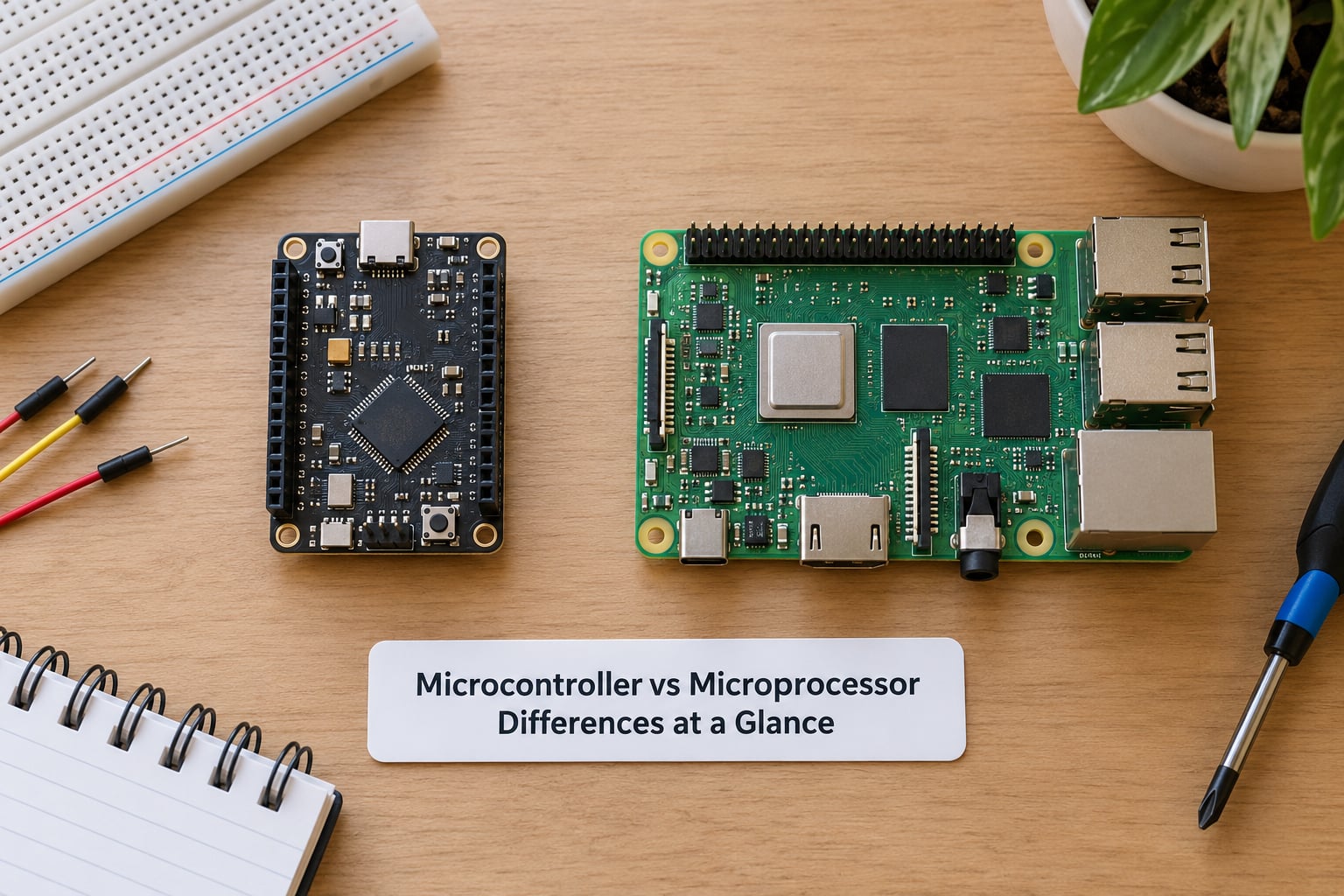
| Criterion | Microprocessor (MPU) | Microcontroller (MCU) |
|---|---|---|
| What it is | A general-purpose CPU with no memory or I/O on the die | A CPU with memory, I/O and peripherals integrated |
| Program memory | External DRAM and flash, soldered separately | On-chip flash or mask ROM |
| Working memory | External DDR, measured in gigabytes | On-chip SRAM, typically measured in kilobytes |
| Peripherals | You add the controller chips yourself | GPIO, timers, ADC, PWM, UART, SPI, I2C, watchdog built in |
| Architecture | Von Neumann, shared instruction and data bus | Harvard, separate instruction and data paths |
| Clock speed | Typically hundreds of MHz to several GHz | Typically tens of kHz to a few hundred MHz |
| Bit width | 32-bit and 64-bit mainstream | 8-bit, 16-bit and 32-bit common; some newer parts reach 64-bit |
| Power budget | Watts, usually with active cooling | Milliwatts to a few hundred milliwatts |
| Operating system | Linux, Windows, RTOS, or none | Usually none; bare-metal or a small RTOS |
| Board cost | Higher: more parts, more routing, more layers | Lower: often a two-layer board with a handful of parts |
| Package | BGA, LGA, PGA on multi-layer boards | QFN, LQFP, SOIC, TSSOP on small boards |
| Typical applications | PCs, servers, smartphones, network appliances, edge compute | Appliances, thermostats, IoT nodes, automotive ECUs, motor control |
That table is the whole argument in one view. Everything else in this article is the detail behind one of those rows.
What Is a Microcontroller?
A microcontroller is a small computer on a single chip, built to run one control program and react to hardware events with predictable timing. It holds its own program memory, working memory and I/O, so a working board needs very little beyond the chip itself, a clock, a regulator and a few passives.
On a typical part you will find a CPU core with an arithmetic logic unit and control unit, flash for firmware, SRAM for variables, a small block of EEPROM for calibration values and serial numbers, plus a peripheral cluster: GPIO pins, timers and counters, pulse-width modulation channels, an analog-to-digital converter, UART, SPI and I2C controllers, and often a watchdog timer that resets the chip if firmware stops responding.
Think about a washing machine. The MCU reads the drum speed from a sensor, drives the motor through PWM channels, watches the door switch through an input pin, and keeps a countdown in a timer. It never loads an operating system and never needs more than a few kilobytes of RAM.
A smart thermostat works the same way with a display and a network radio added. The radio is the interesting part, because wireless is now common enough in MCUs that it blurs the old categories. We will come back to that.
What Is a Microprocessor?
A microprocessor is the processing unit of a computer, packaged on its own. It contains an arithmetic logic unit, a control unit, general-purpose registers, cache memory and clock-generation circuitry, and it exposes address, data and control buses so that external memory and I/O can be attached.
Nothing on the die stores your program. That is the defining constraint. An MPU board needs external DDR for working memory, external flash or a drive for storage, a separate chip or controller for every peripheral class, and a power tree that can supply hundreds of watts across multiple rails.
The desktop CPU is the obvious example, but so is an industrial controller or a network appliance. Both need to run a real operating system, manage virtual memory and serve many concurrent tasks. A microcontroller could not do this on the same silicon budget, and that is not a criticism: it was never asked to.
One useful nuance: an MPU is not necessarily a computer CPU. Parts designed for embedded Linux still count as microprocessors, even when they sit on a single board with everything else soldered down.
Microcontroller vs Microprocessor Differences by Architecture
The biggest architectural difference is integration. A microcontroller is a closed system: the CPU, memory and peripherals share one die and one purpose. A microprocessor is an open core that expects a board around it, which is exactly why it scales to desktops and servers.
The second is the memory model. Most microprocessors use a Von Neumann arrangement, where instructions and data share one address space and one bus. When the CPU fetches code, the bus stalls; when it moves data, fetching waits. Cache hides most of that penalty.
Most microcontrollers use a Harvard arrangement, with separate instruction and data paths. Flash holds the program, SRAM holds variables, and both are reachable in the same cycle. For a control loop that must react within a fixed number of cycles, that predictability matters more than raw throughput.
Neither rule is absolute. Some MCUs offer a unified memory space, and some MPUs split caches by instruction and data. But as a design tendency, the split holds and it explains a lot of behaviour you will measure.
Interrupt handling points the same way. An MCU leans on interrupts and timers to wake it, do a small job and go back to sleep, with the watchdog as a backstop. An MPU handles more concurrency through an operating system scheduler, so a late interrupt shows up as jitter in a latency-sensitive task rather than a reset.
Microcontroller vs Microprocessor Differences in Memory and I/O
This is the row that decides most designs. On a microcontroller, program memory, working memory and peripherals are internal, so firmware reads a sensor through a register and writes PWM duty cycle to another register, with no external bus traffic at all.
On a microprocessor, every byte has to travel. The CPU issues an address, waits for the memory controller, and receives data back over a shared bus. Adding a sensor means adding a controller chip and routing its bus to a pin that happens to be available.
The practical limits are worth stating plainly. On-chip flash on an MCU typically runs from tens of kilobytes to a few megabytes, and SRAM from a few kilobytes to a few hundred kilobytes. An MPU board starts at hundreds of megabytes of DDR and goes up from there.
Peripheral coverage is where an MCU earns its place. Analog-to-digital converters and PWM units let you touch the physical world without extra silicon. MCUs also usually carry UART, SPI, I2C, CAN and USB controllers, plus multiple timers for precise scheduling.
What this means for your PCB
For anyone who has to lay out or assemble these boards, the memory decision is the expensive one. An MCU design typically fits a two- or four-layer board, uses a QFN or LQFP package with inspectable gull-wing or pad geometry, and needs a handful of decoupling capacitors placed close to the pins.
An MPU design is a different manufacturing problem. Expect a BGA package, escape-routing fan-out between the ball pitch and the board pads, memory on the opposite or adjacent layer to keep the routing short, and more layers for signal integrity. That means tighter design rules, more expensive board material and a more demanding assembly and inspection process.
This is why “the chip is cheaper” and “the product is cheaper” are not the same statement. Sometimes the microprocessor silicon costs less than a high-end microcontroller, and the board still costs far more.
Microcontroller vs Microprocessor Differences in Power, Cost, and Performance
Clock speed is the number people quote first and it is the least useful on its own. Microcontrollers typically run from tens of kilohertz up to a few hundred megahertz, with common parts at 8, 16, 48 or 72 MHz. Microprocessors run from a few hundred megahertz to several gigahertz.
That gap is roughly three orders of magnitude, and yes, a microprocessor wins every raw throughput comparison. But if your job is to sample a thermocouple eight times a second and adjust a valve, a 72 MHz MCU finishes the task in microseconds and then sleeps. Throughput you do not need is just heat.
Bit width tells a similar story. MCUs come as 8-bit, 16-bit and 32-bit parts, with 32-bit ARM Cortex-M now the mainstream choice. MPUs are 32-bit or 64-bit, and 64-bit is standard on anything modern.
Power follows directly. A microcontroller typically sits in the low milliwatt range while active and drops into microamp draw in deep sleep. A microprocessor idles in the watt range while running and often needs a heatsink or fan.
Cost needs two separate answers. Chip-level, a low-end microcontroller can cost a few dollars and a mainstream microprocessor a similar amount or less. Board-level, the microcontroller wins, because you save the external memory, the I/O controllers and the extra board area. The gap widens as the design gets larger.
Software follows hardware. A microcontroller usually runs bare-metal firmware or a small real-time operating system, and tools are lightweight. A microprocessor usually runs Linux, Windows or an RTOS, which means a bootloader, an image, a filesystem and a far bigger software maintenance commitment.
Where Each Device Is Used
Microcontrollers show up wherever something must sense and act: washing machines, dishwashers, microwave ovens, thermostats, doorbells, e-bike controllers, battery monitors, medical infusion pumps, automotive engine controllers and industrial sensors. They are the default choice for real-time control on a tight power budget.
Microprocessors show up wherever something must compute: desktops and laptops, servers and data centres, smartphones and tablets, smart TVs, network routers, industrial HMIs, robotics controllers with vision, and edge inference boxes that run small neural networks.
These categories are not absolute. A robot arm needs an MCU for the motor loops and an MPU for the vision and path planning, often on the same robot.
Real chips, classified
| Part or board | Classification | Why |
|---|---|---|
| ATmega328P (Arduino Uno) | Microcontroller | 8-bit AVR core, flash, SRAM and timers on one die |
| ESP32 | Microcontroller | Dual-core MCU with integrated Wi-Fi and Bluetooth, no external memory required |
| STM32 family | Microcontroller | ARM Cortex-M core with on-chip memory and a large peripheral set |
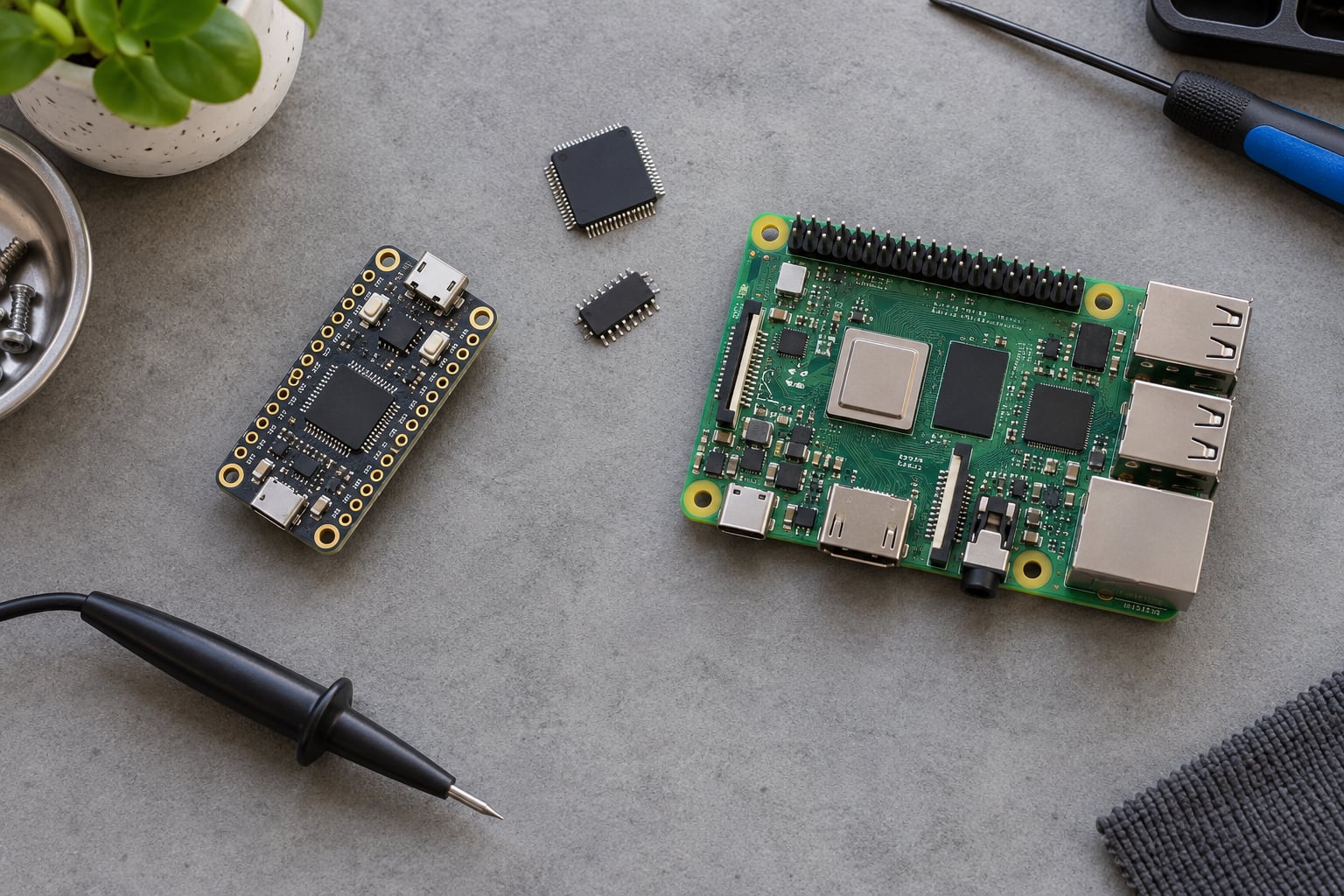
| Raspberry Pi Pico 2 (RP2350) | Microcontroller | Dual Cortex-M33 or hazard-RISC-V cores, on-chip memory, no OS required |
| i.MX RT series | Microprocessor | Cortex-M7 or Cortex-M33 at high clock rates with external memory, often called a crossover part |
| Raspberry Pi 4 and 5 | Microprocessor | Application processor with external DDR running Linux |
| Intel Core and AMD Ryzen | Microprocessor | General-purpose CPU, external memory, multi-core with cache |
The ESP32 line is the one that trips people up most. It is a microcontroller, not a microprocessor, even though it has two cores and Wi-Fi. Core count and radio integration do not change the definition: what matters is that it runs its firmware from its own on-chip memory and owns its peripherals.
Raspberry Pi boards are the mirror image. The RP2040 or RP2350 on the Pico is a microcontroller; the Broadcom or Rockchip application processor with external DDR on the Pi 4 or 5 is a microprocessor. Same product line, two different answers.
Where the line is blurring
Worth being honest about, because the clean old story is no longer true. Modern MCUs ship with dual cores, DSP instructions, hardware floating-point units and integrated radios. The STM32H7 runs a Cortex-M7 at 480 MHz with an FPU, which is more than enough for heavy float work and, for some tasks, hard realtime signal processing.
Meanwhile crossover parts such as the i.MX RT sit in between: a microcontroller-style deterministic core with microprocessor-like clock speeds and external memory. If you see a part that needs external RAM to boot, treat it as a microprocessor even if the core is an ARM Cortex-M.
A fourth option completes the picture. A system on a chip integrates much more than a CPU, and a field-programmable gate array gives you parallel hardware with no CPU at all. If your task is fixed and timing-critical, an FPGA may beat both.
Microcontroller vs Microprocessor: A Simple System Example
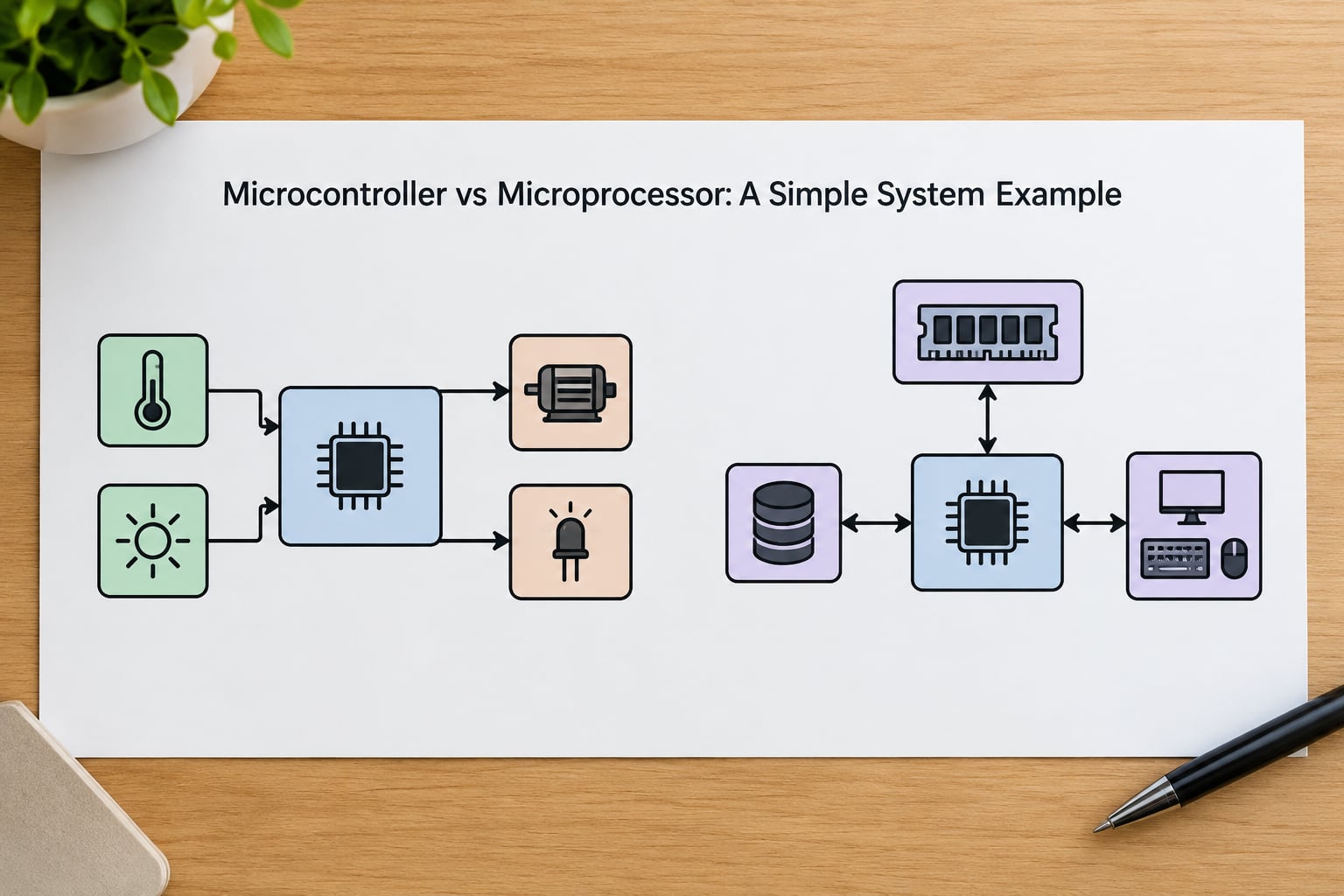
Consider a small environmental monitor. It reads a temperature sensor, drives a screen over I2C, logs to an SD card, and publishes readings over Wi-Fi every ten minutes. That is the microcontroller design.
The chip owns the sensor through its ADC, the screen through I2C, the card through SPI or SDIO, and the radio over UART to a module, or directly if the part has one. On a two-layer board you need a regulator, a crystal or internal oscillator, some decoupling and the storage. That is the whole bill of materials, and it boots straight into your firmware in under a second.
Now change one requirement: log to a small database, run a local web dashboard, accept firmware over the network and serve three concurrent clients. The MCU design now fights you. Every task wants memory you do not have, and threading a JSON library across interrupts is a bad trade.
The microprocessor design puts an application processor on the board with external DDR, an eMMC or SD for storage, an Ethernet or Wi-Fi chip, and a real operating system. It is a bigger board, a bigger power budget and a much larger software effort. It is also the right answer, because the requirements genuinely moved.
Same product, same sensors, opposite silicon. That is the entire microcontroller vs microprocessor differences question in miniature.
Which Should You Choose?
Work through these in order, and the answer usually falls out on its own.
Choose a microcontroller when most of these are true:
- The work is real-time: motor control, sensor sampling, timing-critical sequences.
- The device runs standalone with no operating system.
- You need analog inputs, PWM outputs or many GPIO pins.
- Power is constrained, especially battery operation, so deep sleep matters.
- The firmware is a few kilobytes to a few hundred kilobytes.
- You want the smallest and cheapest possible board.
- Your team can live with C, and possibly assembly.
Choose a microprocessor when most of these are true:
- You need an operating system, processes or threads.
- The workload includes a browser, a database, encryption, video or machine learning.
- You need megabytes to gigabytes of working memory and external storage.
- Connectivity is a requirement, not an add-on: Ethernet, TLS, high-speed USB.
- Many users or tasks must be served at once.
- Your team already works in Linux or high-level languages.
- You have board area and power budget for a multi-layer design.
Do not choose on clock speed. Deterministic interrupt latency, the peripherals you actually need and whether the device fits the power budget will decide your product long before raw megahertz matters.
One more practical point from people who build these for a living: familiarity usually wins ties. The chip your team already knows how to program will ship faster than a theoretically better part nobody has touched.
When to migrate from a microcontroller to a microprocessor
Migration is a design smell early on, not a failure later. Revisit the choice when you need external memory you cannot get, a filesystem, a scripting language on the device, secure boot with a full OS update path, or a user interface with real graphics.
Plan for it from the start by keeping hardware interfaces behind a clean layer, so porting the control logic from the MCU firmware to a service on the MPU is a rewrite of plumbing rather than the whole product.
Frequently Asked Questions
Is a microcontroller a type of microprocessor?
Every microcontroller contains a microprocessor, so the short answer is yes in the loose sense. In practice the terms are used as opposites. Engineers use microprocessor to mean a standalone general-purpose CPU that needs external memory and I/O, and microcontroller to mean that CPU bundled with memory and peripherals. When precision matters, say general-purpose CPU instead.
What is the main difference between a microcontroller and a microprocessor?
Integration. A microprocessor is a general-purpose CPU with no memory or I/O on the die, so everything else must be added externally. A microcontroller integrates the CPU with flash, RAM, EEPROM, I/O ports, timers and converters on one chip, which makes the board smaller, cheaper and lower power but limits it to workloads that fit in on-chip memory.
When should I use a microprocessor instead of a microcontroller?
Reach for a microprocessor when the device must run an operating system, handle large working memory and external storage, serve multiple concurrent tasks, or do heavy work such as graphics, video, encryption or machine learning. If the firmware is a fixed control loop with no operating system and fits in on-chip memory, a microcontroller is simpler, cheaper and easier to make reliable.
Are microcontrollers always lower performance than microprocessors?
On raw throughput, essentially yes, and the gap is large. Modern microcontrollers top out around a few hundred megahertz, while microprocessors run from hundreds of megahertz to several gigahertz. The more useful question is whether the performance you need is real-time responsiveness or general computing power, because a microcontroller that finishes a control loop in microseconds is not slow at its job.
Can a microcontroller run an operating system?
Not a general-purpose one. An MCU can run a small real-time operating system such as FreeRTOS or Zephyr, which schedules tasks on a microcontroller without a filesystem or memory protection. Full Linux or Windows needs an MPU-class part with external memory, a bootloader and a much larger software stack. A few crossover MCUs bridge the gap with external RAM.
Which device is better for an IoT project?
It depends on what the device does with the data. A sensor that samples, filters and publishes occasionally is a microcontroller job, and wireless MCUs such as the ESP32 handle it on milliwatts. If the node must aggregate, run a database, serve a local API or do inference at the edge, you want an MPU-class or system-on-chip part. Most IoT designs use both together.
Conclusion
The microcontroller vs microprocessor differences reduce to one question: does your device need a computer, or does it need a controller? A microcontroller is a self-contained controller with fixed, real-time work and no operating system. A microprocessor is a general-purpose CPU that expects a board, memory and an operating system built around it.
Before choosing a device, write down four things: the peripherals you must have, how much memory the workload needs, your hard power limit, and whether an operating system is genuinely required. Those four answers pick the part for you, and they will also tell you whether your design sits squarely in one category or straddles the line.