Open source EDA tools are software applications released under licences that let anyone read, modify and redistribute the source, covering the same design stages as commercial suites: schematic capture, SPICE and HDL simulation, logic synthesis, place and route, layout and signoff checks. In practice they let students, hobbyists, researchers and startups run a full RTL-to-GDSII flow on a laptop without a licence server, while commercial tools still hold the edge at advanced nodes and tapeout signoff.
The catch is that “open source EDA” is a category, not a product. Some tools are mature enough to have taped out real silicon; others are research prototypes you should look at before touching. This guide walks through what these tools are, where each one sits in the design flow, and which ones are worth your time.
Table of Contents
- What Are Open Source EDA Tools?
- Open source, source-available and freeware are not the same thing
- How Open Source EDA Tools Are Used in Chip Design
- Which Open Source EDA Projects Are Most Useful?
- Schematic capture and SPICE simulation for analog design
- HDL simulation
- Logic synthesis
- Physical design, layout and signoff checks
- Complete RTL-to-GDSII flows
- Open process design kits
- PCB design tools
- Python and scriptable tooling
- What Can You Realistically Do With Open Source EDA Tools?
- What Are the Main Limitations?
- Signoff quality
- Process node coverage
- Memory compilers and analog IP
- Integration friction
- Documentation and support
- Scale
- Platform quirks
- Verification coverage
- How to Choose the Right Tool for Your Project
- Students and hobbyists
- Digital or FPGA designers moving from commercial tools
- Analog and mixed-signal designers
- Teams heading for a tapeout
- Research groups and startups
- Installation and reproducibility
- Frequently Asked Questions
- Are open source EDA tools free for commercial use?
- Can open source EDA tools replace commercial tools for ASIC design?
- Which open source EDA tool is best for beginners?
- Do open source EDA tools support FPGA and ASIC designs?
- What hardware is needed to run open source EDA tools?
- How do I learn EDA design with open source tools?
- Where to Start First
What Are Open Source EDA Tools?
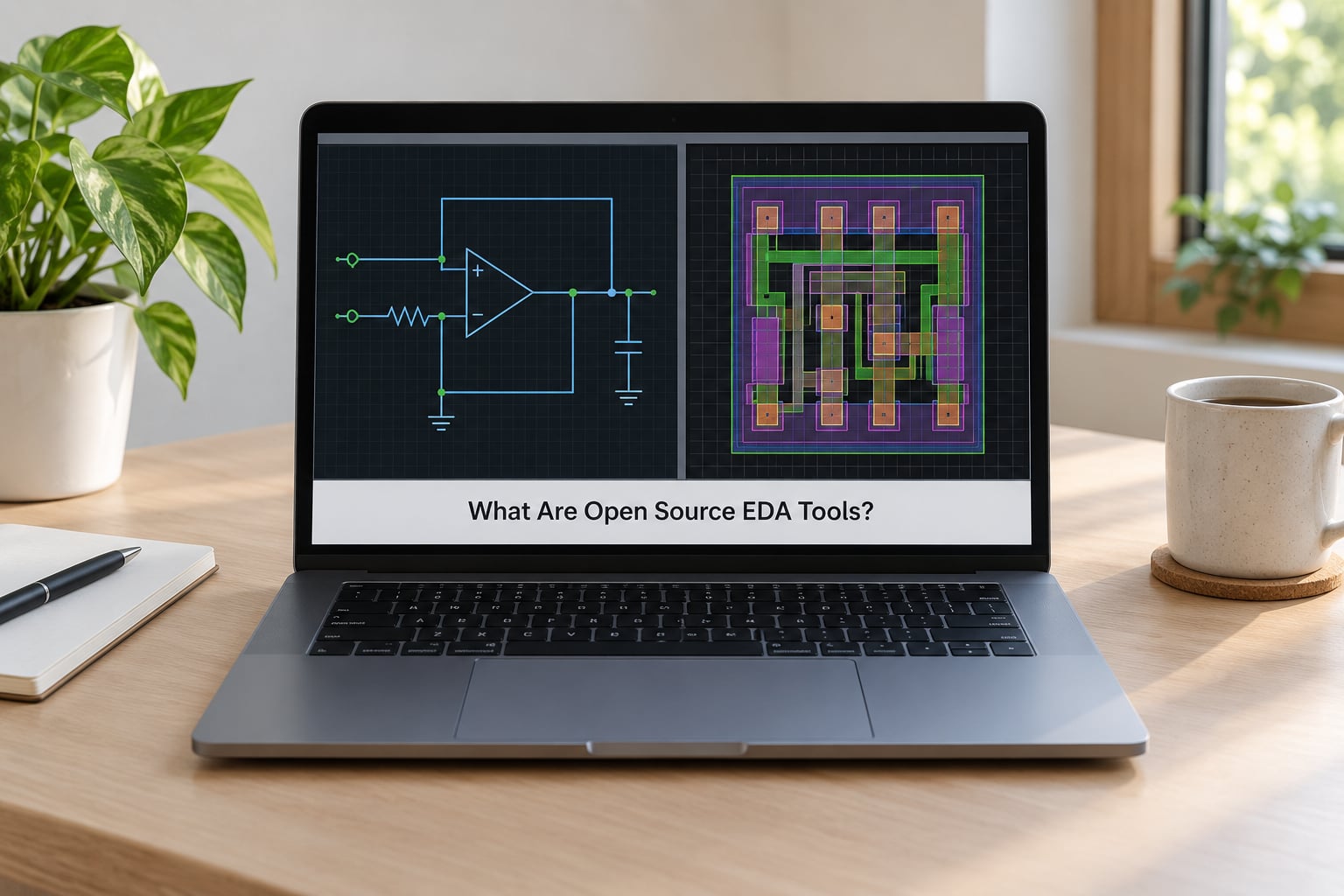
EDA stands for electronic design automation. It is the software layer that turns an idea for a circuit into files a fabricator can build: a mask set for an integrated circuit, or a Gerber and drill file for a printed circuit board. Every phone, router and satellite dish started as schematics and HDL on somebody’s screen, and EDA is what checks that the thing is manufacturable before it costs money.
What makes a tool “open source” is its licence. Under an OSI-approved licence such as Apache 2.0, BSD, GPL or LGPL, you can read the source code, modify it, and redistribute your changes. That matters more in EDA than in most software because the source is the documentation. When a tool’s parser chokes on your Verilog, you can read the source that handles it.
Open source, source-available and freeware are not the same thing
The confusion here costs people real money, so it is worth drawing the lines clearly.
- Open source — the source is published under a licence that grants modification and redistribution rights. Yosys, OpenROAD, KiCad, Ngspice, Xschem and Verilator are all open source.
- Source-available — you can read the code, but the licence forbids redistribution or commercial use of derivatives. Some vendor simulators and older RF tools sit here.
- Freeware — free to download, source withheld. This is the category LTspice falls into: a genuinely capable SPICE simulator with a free tier, but not an open source project and not freely redistributable.
- Academic or evaluation licences — free for students or a trial period, then paid. Common for commercial tools that want a hook in a university.
- Commercial — Synopsys, Cadence and Siemens EDA. Paid per seat, per year, with support contracts attached.
So when someone asks whether LTspice is an EDA tool, the honest answer is yes, it is an EDA tool — a SPICE simulator with schematic capture that many engineers prefer for its fast startup and generous free tier. It is just not open source.
There is one more category worth naming. Commercial companies now release genuine open source tools to seed ecosystems, including Google’s Sky130 process and its shuttle programme, Efabless and its chipIgnite tapeout service, and Silicon Labs contributions to the Zephyr toolchain. A commercial firm backing an open tool does not make the tool commercial. You still get the source.
How Open Source EDA Tools Are Used in Chip Design
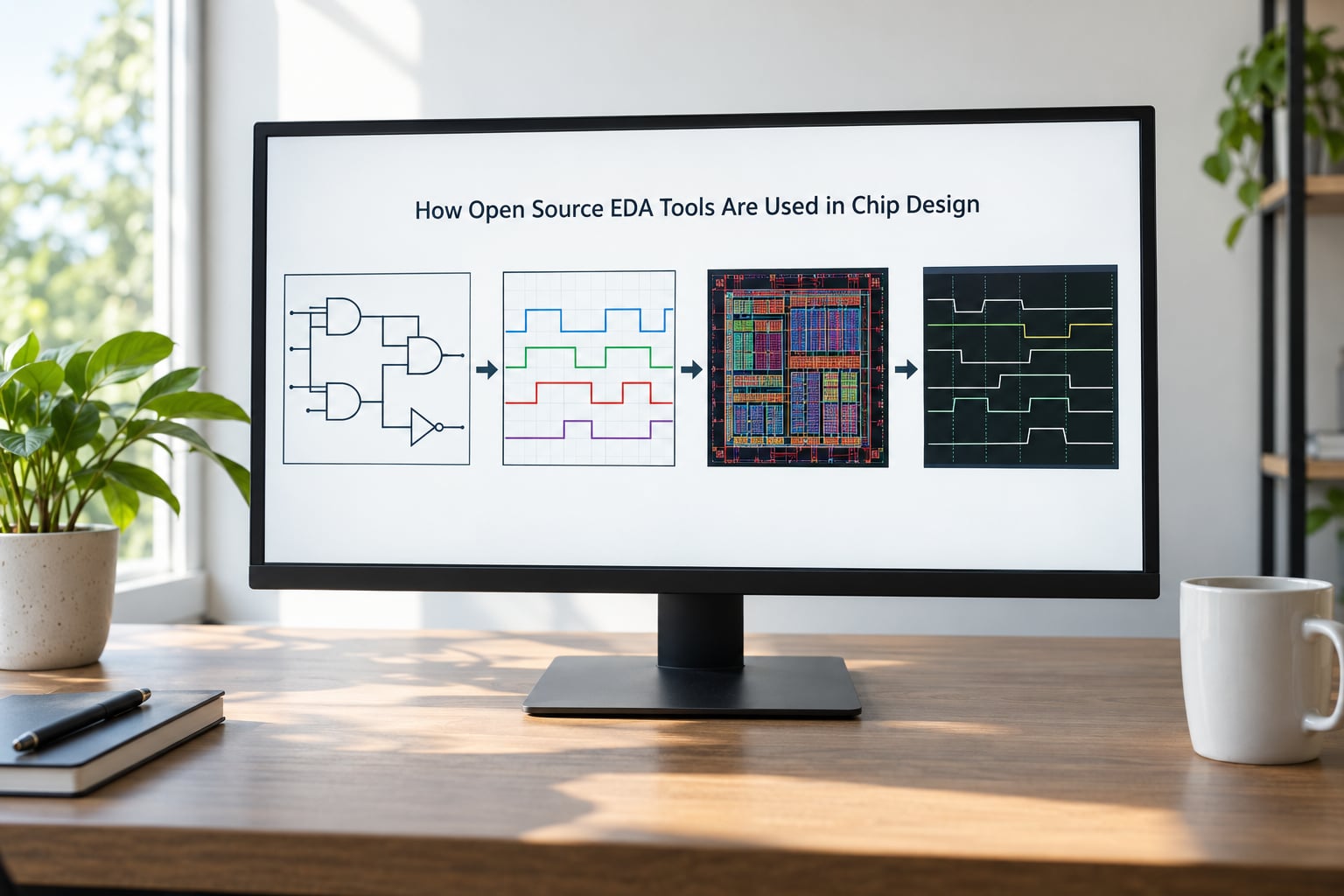
The chip design flow is a pipeline, and open source tools can enter at nearly every stage of it. The usual sequence runs from a written specification through RTL, synthesis, placement, routing and verification to GDSII, which is the mask data a foundry reads.
- Specification and architecture — usually done on paper or in a document. No tool required.
- Schematic capture — analog and mixed-signal designers draw circuits in tools like Xschem or KiCad’s schematic editor and generate a netlist.
- RTL entry — digital designers write Verilog or SystemVerilog, or VHDL. Nothing to install; you need an editor with real syntax support.
- Simulation — Verilator, Icarus Verilog, GHDL and VCS-class simulators check functional behaviour. Ngspice handles analog.
- Synthesis — Yosys reads RTL and maps it onto a standard cell library, producing a gate-level netlist.
- Floorplanning and place and route — OpenROAD places cells, builds the clock tree, repairs timing and routes the design.
- Signoff verification — Magic and Netgen run DRC and LVS, OpenSTA runs static timing analysis on the extracted parasitics.
- Tapeout — the GDSII stream goes to a foundry or a shuttle aggregator.
Two conventions show up constantly in this flow and are worth defining now. RTL to GDSII means the whole path from register-transfer level code to fabrication-ready mask data. A PDK, or process design kit, is the foundry’s rulebook: standard cell libraries, layer definitions, design rules and device models. Open tools without an open PDK have nothing to map onto, which is why the open PDKs discussed later matter so much.
Different tools communicate through plain interchange formats — Verilog netlists, Liberty cell libraries, LEF and DEF layout data, SPEF parasitics, SDC timing constraints and GDSII or OASIS mask output. Because these formats are industry standards rather than proprietary containers, open tools chain together without negotiation. That is the real reason RTL-to-GDSII works at all in open source: the interfaces were standardised decades ago.
Which Open Source EDA Projects Are Most Useful?
There are hundreds of open EDA projects, and most articles list them all. That list is not much use. What follows is organised by the job each tool does, with the ones I would actually install noted where they matter.
Schematic capture and SPICE simulation for analog design
Ngspice is the default open source circuit simulator. It is fast, scriptable, integrates with waveform viewers and handles the usual analyses any analog designer expects. Xyce is the multi-threaded simulator out of Sandia National Laboratories, built for larger circuits and power-oriented analysis.
Xschem is the schematic capture tool that pairs with Ngspice. You draw a circuit, place a simulation directive on the netlist line, and it hands off to the simulator. Xschem and Ngspice together are the closest open source equivalent to an ordinary analog design bench, and hobbyists use this combination for real boards.
| Open source tool | What it does | License | Typical platforms |
|---|---|---|---|
| Ngspice | SPICE circuit simulation | GPL | Linux, macOS, Windows |
| Xyce | Multi-threaded SPICE simulation | BSD-style | Linux |
| Xschem | Schematic capture for Ngspice flows | GPL | Linux, macOS |
| QUCS-S | RF and microwave circuit simulation | GPL | Linux, macOS, Windows |
| Electric | Layout and schematic with integrated simulator | EPL | Cross-platform |
HDL simulation
Verilator is the fastest of the open simulators and the one you meet first if you come from software. It does not simulate an event queue the way a traditional HDL simulator does. Instead it translates Verilog into C++ or SystemVerilog into compiled code, which is why it runs large testbenches quickly. The trade-off is that it needs a C++ testbench harness, usually with cocotb.
Icarus Verilog takes the more traditional route. It is an event-driven Verilog simulator with a vvp runtime, it supports a good chunk of SystemVerilog, and it will run most textbook testbenches without modification. Slower than Verilator on big designs, much easier for a first script.
GHDL covers VHDL and does it well, including ghdl-yosys-plugin for synthesis. Verilog is the more common starting point today, but VHDL remains the language of choice in several European FPGA shops.
Logic synthesis
Yosys is the centre of the open digital flow. It reads Verilog, SystemVerilog and a handful of other formats, performs elaboration, logic optimisation and technology mapping, and writes netlists in many output formats. Reading Yosys documentation feels like reading a well-organised tool manual, which is unusual for a project this size.
Yosys bundles ABC, the Berkeley logic synthesis package that handles technology mapping and gate optimisation. You normally never invoke it directly — Yosys calls it for you during mapping.
Physical design, layout and signoff checks
OpenROAD is the open source place-and-route engine, maintained with contributions from universities and industry. It performs floorplanning, global placement, clock tree synthesis, repair design, global and detailed routing, and optimisation. It reads LEF and DEF, writes GDSII, and works with OpenSTA for timing closure. This is the most advanced single project in the open flow.
Magic is a layout editor and interactive verification tool with a long history in the Berkeley and Caltech tradition. It does DRC and LVS through its integrated devices, it can extract a layout back to schematic, and it is genuinely pleasant to work in interactively. Its weakness is automation for large designs, where scripting OpenROAD tends to win.
KLayout is a GDSII viewer and editor first, with Python scripting that people use for automated tasks such as merging cells, checking pad rings or writing custom DRC. Developers rate it as the best open tool for inspecting a large layout.
Netgen performs layout-versus-schematic comparison, checking that the extracted layout matches the schematic netlist. OpenSTA reads SPEF parasitics and SDC constraints and reports timing slack, which closes the loop back to the router.
Complete RTL-to-GDSII flows
Assembling Yosys, OpenROAD, Magic, Netgen, OpenSTA and a PDK by hand is where most beginners give up. Flows bundle them so a single command runs the whole pipeline with the right configuration for a specific PDK.
- OpenLane — the most complete and most actively used option. It is built on OpenROAD and wires in synthesis, floorplanning, placement, CTS, routing, extraction, DRC, LVS and timing into reproducible runs. Version 2 added support for multiple technologies beyond Sky130.
- OpenROAD-flow-scripts — the reference flow maintained alongside OpenROAD itself, useful for reading how each stage is invoked and as a base for your own scripts.
- Qflow — older and smaller, synthesising with Yosys and routing with its own router. Worth knowing about, less where new work goes.
- OSS CAD Suite — a packaged binary bundle from YosysHQ containing Yosys, nextpnr, iverilog, Verilator, GHDL, gtkwave and dozens of other tools with all dependencies resolved. Installing one archive gets you a working environment.
Open process design kits
A PDK is what turns a flow into something manufacturable. Two open ones carry most of the traffic.
| PDK | Process | Where it comes from | Notes |
|---|---|---|---|
| Sky130 | 130 nm CMOS | SkyWater Technology, sponsored by Google | The most complete open PDK; supported by OpenLane and most shuttles |
| GF180 | 180 nm CMOS | GlobalFoundries, released open | Older process, simpler structures, very forgiving |
| IHP SG13G2 | 130 nm BiCMOS | IHP Frankfurt | Useful when you need the open high-voltage and BiCMOS options |
| ASAP7 | 7 nm predictive | Academic collaboration | Research-only; not a manufacturable process |
Sky130 is the one to learn. Google sponsors its maintenance and runs a multi-project wafer shuttle where groups pool a die and split the cost, which is how most student tapeouts get funded.
PCB design tools
PCB work is a different discipline from IC work, and the open options there are strong. KiCad is the clear leader: schematic capture, board layout, a 3D viewer, and a file format that a growing number of manufacturers accept directly. It is the tool most people reach for first, and it handles everything from a hobby relay board to a dense multi-layer design.
Fritzing focuses on teaching and on keeping physical parts and wiring legible for beginners. gEDA is an older suite of schematic capture and layout tools that still runs. pcb-rnd, tscircuit and atopile take newer approaches, with tscircuit generating layouts from TypeScript-style code.
Python and scriptable tooling
Two categories here have changed how open chip work gets done. cocotb lets you write testbenches in Python instead of SystemVerilog and run them against Verilator or Icarus Verilog, so verification looks like ordinary software testing with pytest-style assertions. Gdsfactory generates chip layout from Python, treating geometry as code you can parameterise, unit test and diff in Git.
Both matter because the hard part of chip design is iteration. A design you can regenerate from a script in seconds gets iterated more than one you redraw by hand.
What Can You Realistically Do With Open Source EDA Tools?
Setting expectations matters more than lists here, so it is worth being specific about finished work.
Learning the flow end to end. You can take a small design from RTL through synthesis and place and route to GDSII on a modest laptop. For an undergraduate this is the single most valuable thing available, because every stage is visible instead of hidden behind a licence menu.
Taping out a real chip. Students and research groups have shipped RISC-V cores and small SoCs on Sky130 through shuttle programmes. The RISC-V community treats this as a normal part of a project, not a stunt.
Prototyping before committing to a process. Startups describe a consistent pattern: prove the architecture in an open flow at zero cost, then re-target the same RTL at a foundry with commercial signoff tools once the design is real.
Teaching. Universities that once ran one licence seat for a cohort of two hundred can now give every student their own environment. Container-based setups make it reproducible across lab machines.
FPGA development. Yosys with nextpnr targets AMD and Lattice FPGAs and is used in production by hobbyists and small teams. The open source route is more demanding than Vivado, but it is a legitimate FPGA path.
Analog and mixed-signal boards. Xschem and Ngspice handle board-level circuits happily, and KiCad carries the schematic into layout with SPICE models attached. This is the least glamorous and most immediately useful corner of open EDA.
Hardware security research. Because fault injection tools, simulators and netlist tools are all readable and scriptable, researchers can automate analysis that commercial tools would not permit.
What Are the Main Limitations?
None of this makes open tools unusable. It makes them a poor fit for specific jobs, and pretending otherwise wastes somebody’s afternoon.
Signoff quality
DRC and LVS in open tools check a foundry’s published rules faithfully, but commercial signoff decks from a foundry carry years of accumulated edge cases, waivers and certification. If a foundry guarantees a tapeout only against its own signoff tools, your open flow’s clean DRC report is not a guarantee.
Process node coverage
Open PDKs stop at mature nodes. Sky130 at 130 nm and GF180 at 180 nm are generous by open standards; beyond that, the options are predictive models such as ASAP7 for research. There is no open flow targeting a current FinFET node, because the process data itself is proprietary.
Memory compilers and analog IP
A modern SoC needs SRAM macros, standard cell characterisation, PLL and SerDes blocks. Open flows rely on hand-built or community macros. Bitstream-compatible analog IP for advanced processes simply does not exist in open form.
Integration friction
Tools are maintained by different people on different schedules. Version conflicts between Yosys plugins, PDK file versions and OpenROAD builds are the most common complaint from newcomers, and the honest fix is to use a flow that pins versions for you, such as OpenLane or the OSS CAD Suite, rather than assembling your own.
Documentation and support
Documentation ranges from genuinely good to missing. Tutorials age quickly as tools change, and when something breaks you are reading a GitHub issue thread or a mailing list archive. There is no support contract, so budget your own time as the support cost.
Scale
Designs in the millions of gates strain open tools. Runtime, memory use and debugging all get harder, and the flow scripts that work on a 50k-cell design may need work on a 5-million-cell one.
Platform quirks
Most open EDA targets Linux first. Windows users generally run under WSL2, and some graphical tools are clumsier there. macOS works for most of the suite, with a few gaps.
Verification coverage
Formal verification exists in open form — Yosys has SAT-based checks and SymbiYosys automates them — but UVM support and coverage-driven constrained-random methodology are thinner than commercial equivalents. Teams with mature verification infrastructure notice this gap first.
How to Choose the Right Tool for Your Project
The right question is not which open tool is best, but which stage of which design you are working on. These are the choices I would make by reader type.
Students and hobbyists
Start with KiCad if you are building boards, or with Icarus Verilog and Yosys if you are building digital logic. Both learn fast and fail gently. Add Verilator once your testbenches get slow, and use cocotb rather than fighting SystemVerilog as a first language.
Digital or FPGA designers moving from commercial tools
Verilator for simulation, Yosys for synthesis, nextpnr for FPGA implementation. If you are coming from a commercial GUI flow, the mental shift is that there is no project database — you have a build system. Keep your design as source, run it in containers, and treat the toolchain like software.
Analog and mixed-signal designers
Xschem plus Ngspice, with QUCS-S if the design has RF content, and KLayout or Magic for layout. Keep PDK device models in version control, since that is where analog projects quietly break between machines.
Teams heading for a tapeout
OpenLane on Sky130. It pins versions, runs DRC, LVS and timing automatically, and produces a report you can hand to a shuttle aggregator. If timing does not close, move the design to a smaller target or a simpler clock tree before reaching for anything else.
Research groups and startups
Use open tools for architecture exploration and verification, and keep the RTL tool-neutral. Assume you will re-target at a commercial process for the final design, so avoid anything in the open flow that binds your design to Sky130 specifics.
Installation and reproducibility
Two approaches cover almost everyone. The OSS CAD Suite ships prebuilt binaries for Linux, macOS and Windows with dependencies resolved, which is the fastest route to a working simulation and synthesis environment. Containers or a pinned OpenLane setup give you reproducibility for a full physical flow across a team.
Whatever you pick, pin versions, keep your flow scripts in Git, and record the container digest alongside your design. A chip design that only builds on one engineer’s laptop is a chip design you will be debugging instead of designing.
Frequently Asked Questions
Are open source EDA tools free for commercial use?
Yes, in almost every case. Open source licences such as Apache 2.0, BSD and GPL permit commercial use, so a company can run Yosys, OpenROAD, KiCad or Ngspice on paid client work without paying a licence fee. Two obligations come attached. GPL tools require you to distribute derivative source if you ship the tool itself, and you still owe support costs to your own engineers. Always read the specific licence before adopting a tool into a product.
Can open source EDA tools replace commercial tools for ASIC design?
For mature nodes, often yes, especially on small to mid-sized digital designs where OpenLane on Sky130 produces a DRC-clean, LVS-clean result with timing closure. At advanced nodes the blockers are real: no open PDK, no foundry-certified signoff decks, no memory compilers and far thinner formal verification support. The common pattern is to design in the open flow and sign off with commercial tools at a commercial process.
Which open source EDA tool is best for beginners?
KiCad if you are building printed circuit boards, and Icarus Verilog with Yosys if you are building digital logic. Both install quickly, have working documentation and fail in ways a beginner can understand. Verilator is the usual second step once simulations get slow, usually paired with cocotb so testbenches stay in Python. Avoid starting with OpenROAD; it assumes you already know what place and route is doing.
Do open source EDA tools support FPGA and ASIC designs?
Both, though the depth differs. For FPGAs, Yosys with nextpnr targets AMD and Lattice devices and is genuinely usable for hobby and small commercial designs. For ASICs, Yosys handles synthesis, OpenROAD handles physical implementation, and the open PDKs reach about 130 nanometre. Beyond that you leave open source behind because the process data, the signoff decks and the IP are all proprietary.
What hardware is needed to run open source EDA tools?
A modern laptop is enough for learning and for small designs. A 64-bit machine with 16 GB of RAM handles simulation, Yosys synthesis and FPGA builds comfortably, and 32 GB helps with full place-and-route runs. Linux is the smoothest path; Windows users generally run the tools under WSL2. Large multi-gate designs want a server with many cores, and multi-threaded simulators like Xyce scale well there.
How do I learn EDA design with open source tools?
Work backwards from a finished result. Write a small Verilog module, simulate it with Icarus Verilog, synthesise it with Yosys, then push the same design through OpenLane on Sky130 and open the GDSII in KLayout. That single chain teaches RTL, simulation, synthesis and physical design as one connected process. Read the tool documentation alongside it, and use a shuttle programme when you are ready to build real silicon.
Where to Start First
Install the OSS CAD Suite, write one small Verilog counter, and simulate it with Icarus Verilog. That takes an afternoon and tells you immediately whether this is the part of engineering you want to spend your time in.
After that, follow one design all the way through. Synthesis in Yosys, then a Sky130 run in OpenLane, then the GDSII open in KLayout. Each stage teaches itself a little, because you are looking at real output rather than a diagram.
Where open source EDA tools explained becomes a workflow rather than a topic is when the design leaves your machine. That is when you will know which of these projects you trust, and which questions are worth asking before you commit a year of effort.