Short version: a CPU is a processor that runs instructions, while an SoC is a whole computer system squeezed onto one chip, processor included. When someone asks what an SoC is and how it differs from a CPU, the honest answer is that the question contains its own trap: almost every SoC ships with CPU cores inside it.
That one design decision explains most of what follows. Integration changes power draw, board area, thermal behaviour, repair options and the way software gets written, and it changes them a lot. What stays the same is the basic job of the CPU, which is still fetching, decoding and executing instructions one after another.
This guide is written for chip design students, working engineers and anyone who has read a phone spec sheet and wanted the architecture explained. I have sat through plenty of these conversations in design reviews, and the terminology is where most confusion starts, so I will start there too. I will flag the few places where the marketing language drifts away from the silicon, and I will keep the examples to hardware that actually exists.
If you want the mechanical difference in one line, keep reading to the at-a-glance table. If you are deciding what to build or buy with, jump to the sections on power and flexibility, because those are the two that decide almost every real project.
Table of Contents
- What an SoC Is and How It Differs from a CPU at a Glance
- What Is an SoC?
- What an SoC Is and How It Differs from a CPU, Simply Put
- How Does a CPU Work?
- CPU vs. SoC: Performance and Processing Power
- CPU vs. SoC: Power Efficiency and Heat
- CPU vs. SoC: Flexibility and Upgradability
- Where CPUs and SoCs Are Used
- Can an SoC Replace a CPU?
- Which Should You Choose?
- Frequently Asked Questions
- What are the disadvantages of SoCs?
- Do all smartphones use SoCs?
- Is a GPU an SoC?
- Can you give me an example of a system on a chip?
- Is Apple Silicon an SoC or a CPU?
- What is the difference between an SoC and a SiP?
- Conclusion
What an SoC Is and How It Differs from a CPU at a Glance
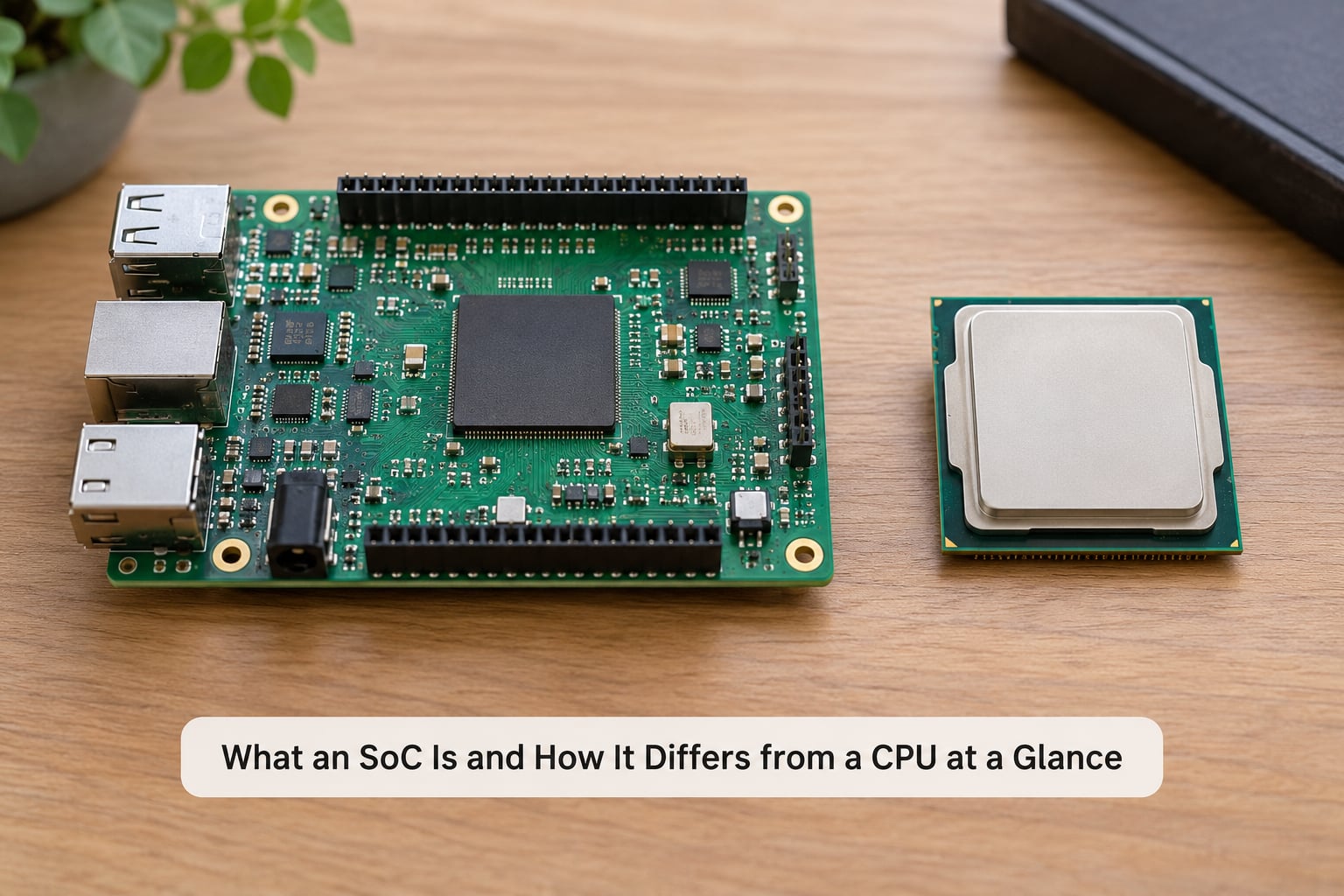
The table below is the summary version. Each row is one criterion, and the two columns are the two architectures. Nothing here is a judgment about which is better, because in most cases the better answer depends on the device you are building.
| Criterion | CPU (processor) | SoC (system on chip) |
|---|---|---|
| What it is | The chip that executes instructions | A complete system integrated on one die |
| What is on the die | Core, cache and supporting logic only | CPU cores, GPU, memory controller, connectivity, I/O, power management |
| External support chips | Normally several: memory, chipset, graphics | Far fewer, often only DRAM and storage |
| Instruction set | Often x86, sometimes ARM or RISC-V | Almost always ARM or RISC-V |
| Power efficiency | Good per watt, but higher system power at desktop loads | Very high, because the whole system is on one die |
| Sustained performance | Higher ceilings on long compute jobs | Strong bursts, throttling sooner in a thin body |
| Upgradability | Often socketed and swappable on desktops and servers | Soldered or coupled to the board; not user-replaceable |
| Typical home | Desktop and server PCs, workstations | Phones, tablets, smart TVs, cars, IoT devices |
Two rows carry most of the practical weight. Integration decides power, size and cost; the socket decides whether the owner can ever change the part. Everything else in this article is a consequence of those two choices.
What Is an SoC?
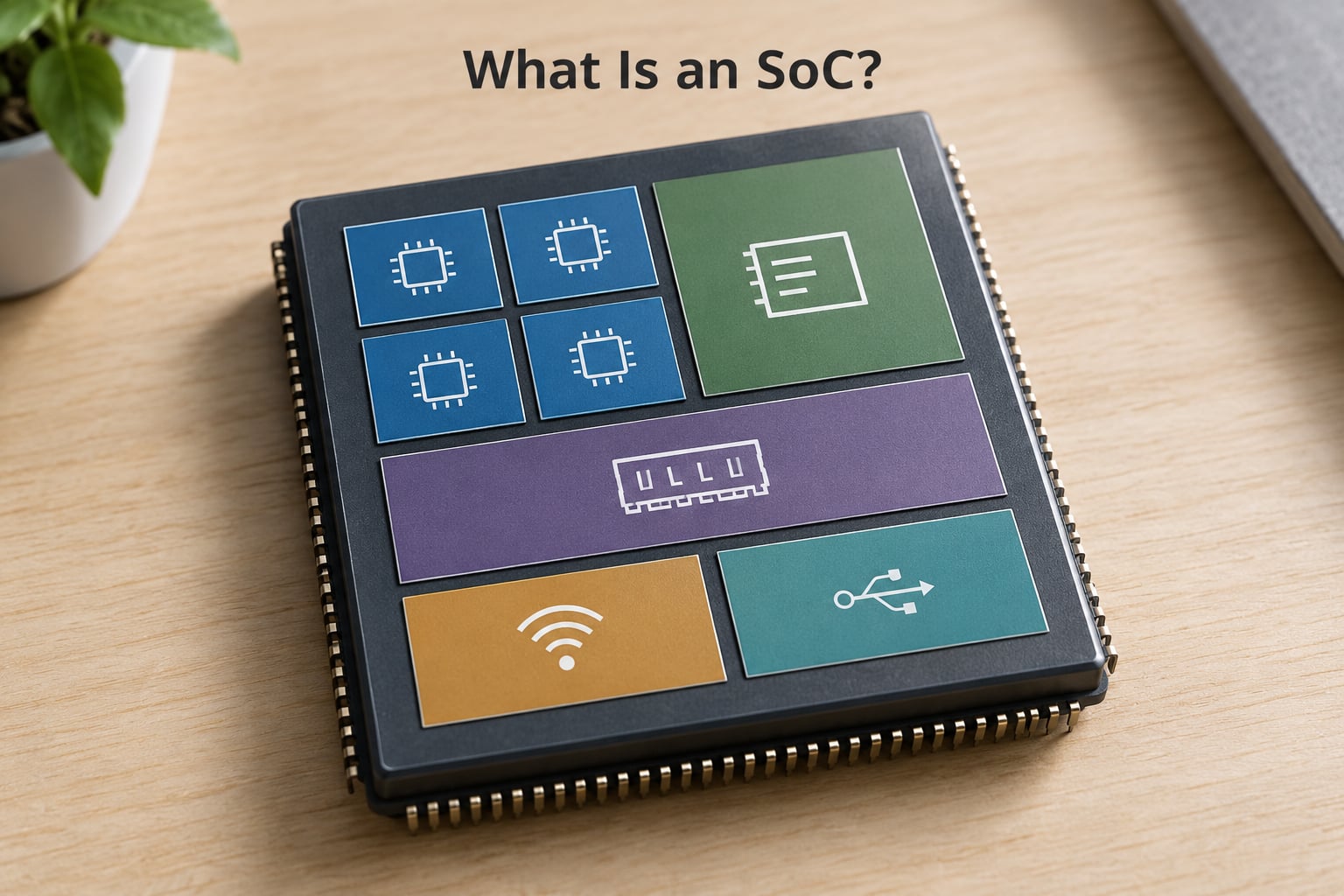
A system on chip, usually written SoC, is a single integrated circuit that contains most of the functional blocks a computing system needs. Instead of a processor here and a memory controller on another package there, the processor, graphics, connectivity and I/O all sit on the same piece of silicon, joined by an on-die interconnect.
It helps to picture a phone motherboard. A discrete design would spread the processor, the modem, the Wi-Fi radio, the audio codec and the power management across several packages with a lot of board area between them. An SoC collapses most of that into one die, and what remains on the board is mostly memory, storage and passives.
The blocks you will normally find inside one of these chips are:
- CPU cores — often several ARM cores running different sizes and clock speeds, sometimes with a mix of big, little and mid-tier designs.
- GPU — a separate graphics engine with its own shaders and often hardware ray tracing or compute units.
- Memory controller — the block that talks to external DRAM. The actual DRAM chips usually sit outside the package.
- Digital signal processor — handles audio, image and radio signal work that a general-purpose core would do inefficiently.
- Wireless connectivity — Wi-Fi, Bluetooth and cellular modems integrated directly on the die in many designs.
- I/O interfaces — USB, display output, storage interfaces, camera inputs, buses for external sensors.
- Power management unit — voltage regulation and clock gating, deciding which blocks wake and when.
- Security blocks — secure boot, a hardware root of trust, encryption engines and a trusted execution environment that isolates sensitive work from the main system.
Not every SoC contains all eight. A microcontroller-class device might have one small core, some I/O and a security block, with no GPU and no radio. A flagship phone SoC has most of the list and adds very large dedicated accelerators for machine learning workloads.
What an SoC Is and How It Differs from a CPU, Simply Put
A CPU answers one question: how do we execute instructions as fast as possible? An SoC answers a different question: how do we run an entire device from one chip, within a power and space budget?
So an SoC is not a competitor to the CPU. It is a packaging and integration decision that includes a CPU. When a phone spec sheet lists eight cores, that count is a mix of large and small CPU cores, and it is not comparable to a desktop core count at all, because the cores are built for different jobs.
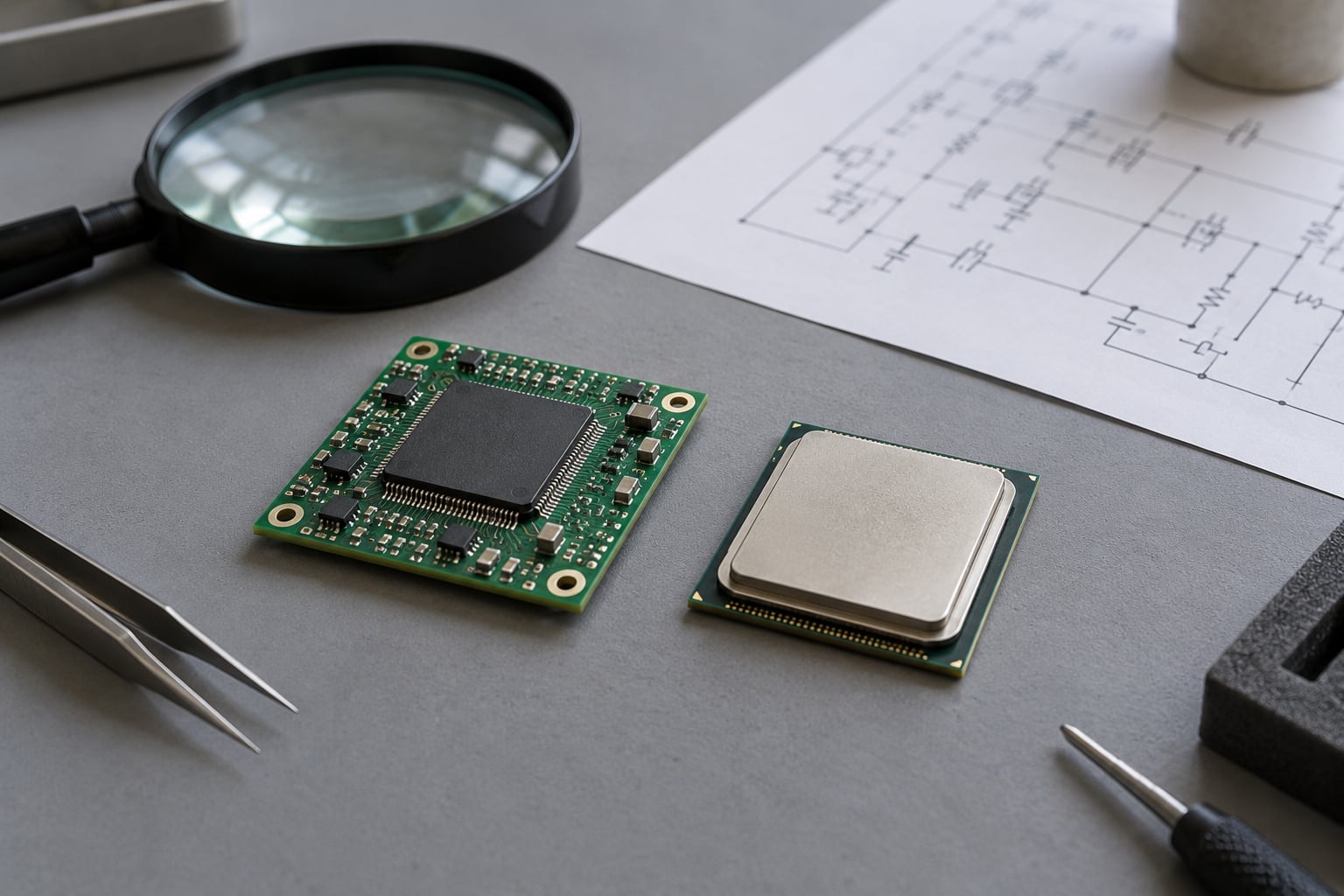
One useful sanity check: if someone hands you a chip and asks what it is, ask what else runs on the die besides the processor. If the answer is a whole supporting cast, it is a system on chip. If the answer is nothing but cores and cache, it is a CPU.
How Does a CPU Work?
A CPU runs a repeating four-step loop called fetch, decode, execute and write back. The control unit fetches an instruction from memory, decodes it into an internal operation, the execution units carry it out, and the result is written back into a register or cache.
Cores exist to run several of those loops at once. A multicore processor gives each core its own execution units and shares the workload through cache, so a video encode and a browser can progress in parallel without stepping on each other.
Caches sit close to the execution units, in small, fast memory, because instructions and data are useless if they arrive from DRAM too slowly. A modern desktop processor depends on a fair amount of external support to function well: the memory modules themselves, a chipset, a graphics device, firmware and a power delivery network.
Recent desktop CPUs do include integrated graphics and sometimes a neural processing unit, which blurs the picture for beginners. But the CPU is still the part sold and specified as the processor. Extra blocks ride along; they do not change what the package is called.
CPU vs. SoC: Performance and Processing Power
There is no honest answer to which is faster in general, because the two categories are tuned for opposite constraints. What is honest is a description of where the ceiling sits and what happens when a load runs for a long time.
Sustained compute. A desktop or server CPU, cooled by a tower cooler or a substantial heatsink in moving air, can hold a high all-core clock indefinitely. Its extra silicon area goes almost entirely into cache and execution resources. A SoC in a phone has a smaller die area budget, much less cooling surface, and a shared thermal budget between the CPU, GPU, modem and the charging circuit.
Short bursts. That works in the other direction. An SoC can reach very high clock speeds and use very efficient cores for a second or two, which is why burst behaviour matters for launch animations, app opens and web scrolling. It is also why a phone can feel instant and then feel warm.
Parallel work. SoCs put specialised blocks next to the CPU and let work move between them with very low latency. A neural processing unit can chew through an inference model while the CPU handles the operating system. On a discrete desktop, the same work usually sits in a separate card across a PCIe link, which costs power, board space and time.
Memory access. An on-die interconnect between the CPU and the memory controller is short and wide, so latency inside the package is low. A desktop CPU reaches system memory over a long trace on the motherboard to DDR modules, which is a real cost in bandwidth-sensitive work, though wide channels and large caches compensate for a lot of it.
So a fair summary: a discrete CPU wins the long, heavy, upgradeable job, and an SoC wins the integrated, many-specialised, power-limited job. Quote a single clock speed number for either and you have understood neither.
CPU vs. SoC: Power Efficiency and Heat
Power is where integration earns its keep, and the reason is mostly physical. Every time a signal crosses from one chip to another, it has to be driven across a package or board connection, and the circuits that drive it burn current. Cutting those crossings is a direct saving.
On top of that, the process technology and the workload shape matter a great deal. Modern designs pair small, efficient cores for background work with large cores for bursts, then park the idle ones through clock gating. A phone running mostly small tasks barely warms up, which is why battery life is not the same thing as peak performance.
Heat is the flip side. A thin body gives a SoC very little surface area to shed heat into, so once the CPU, GPU and modem are all busy, something has to give. Throttling is what giving looks like: clocks drop, the workload takes longer, and sustained performance falls below the burst figure. Mobile users report throttling as the main practical limit of high-end phone silicon, and it is a physical constraint rather than a defect.
Desktop CPUs run hotter in absolute watts and the machine has room to deal with it. Moving air and a large heatsink are simply easier to arrange when you are not constrained to a 9 mm slab.
Embedded and IoT designs push the same ratio further. A sensor node running a small core on a coin cell can idle for years because the entire system on that die draws so little that it barely registers.
CPU vs. SoC: Flexibility and Upgradability
Flexibility is the criterion where the CPU clearly wins, and it is the one buyers underestimate most. A desktop processor is often a separate socketed part, which means you can swap it years later, add a second GPU, or replace failing memory without touching anything else.
An SoC is bound to its board. On a phone or tablet the package is soldered or coupled directly to the memory and storage, and the firmware is tightly matched to that part, so a like-for-like swap is not a real option for a user. On single-board computers the chip is soldered even when the board is sold as a development platform.
This has knock-on effects. Integrated parts mean fewer connectors and less board area, so reliability generally improves and assembly gets cheaper. They also mean the vendor owns the whole stack, which is why developers describe SoC selection as a commitment to an ecosystem rather than to a component. Firmware, driver support, toolchains and the pace of updates all come from the same supplier.
There is a nuance worth stating plainly, because it comes up constantly: the instruction set and the packaging are separate questions. A device with an SoC built on ARM cores can still run a lot of the same software as a desktop, which is why Apple and other ARM-based laptop vendors ship desktop-class operating systems on SoC designs. What you give up is socketed upgradability, not computing ability.
Repairability follows the same pattern. A failed RAM stick is a ten-minute fix. A failed SoC is frequently a board-level replacement, which is exactly the e-waste concern that shows up in hardware forums.
Where CPUs and SoCs Are Used
Use case is the cleanest way to see the split, because engineers pick the architecture that matches the enclosure, the thermal limit and the service model.
- Desktop PCs and workstations. Socketed CPUs, discrete memory, discrete graphics, user serviceability. Long compute runs and component upgrades are the norm.
- Servers. The same reasoning at rack scale, with redundancy, memory expansion and hot-swap service. Thermal headroom is there in a 1U chassis, and the workload is heavy and sustained.
- Smartphones and tablets. The clearest SoC territory. Battery life, thickness, camera signal processing and connectivity all push toward one die.
- Smart TVs and set-top boxes. Video decode, audio and a user interface on one low-power part, running fanless in a thin enclosure.
- Automotive. Infotainment, driver assistance and increasingly vehicle controllers. Determinism, functional safety and long supply life matter as much as raw speed.
- Embedded and industrial. A control system on one chip with its memory controller, I/O and safety features integrated, often in a package rated for wide temperature ranges.
- Single-board computers and IoT. A low-cost SoC on a credit-card-sized board gives you a Linux-capable system with no separate chipset.
Named examples help more than abstract categories. Desktop and server processors from Intel and AMD are the archetypal CPUs. Phone and tablet silicon from Qualcomm Snapdragon, Apple, MediaTek and Samsung Exynos are the archetypal SoCs, and Apple M-series laptop chips sit in the SoC camp despite the name reading like a processor. Hobbyists routinely confuse the two categories, with Raspberry Pi boards being described as microcontrollers when they are actually single-board computers built around an SoC, while Arduino boards really are microcontrollers.
Can an SoC Replace a CPU?
Not in the architectural sense, and this is the misconception worth clearing up early. An SoC contains a CPU, so it does not stand in for one; it contains one, plus everything the processor needs to be useful in a device.
What people usually mean is narrower: can an SoC take over the role a standalone CPU plays in a system, and remove the other chips around it? Yes, and that is exactly what it does. In a laptop built on Apple M-series silicon, there is no separate chipset, socketed processor or discrete graphics card. One package handles the whole system.
So the honest answer has two parts. Architecturally, the SoC is the CPU plus its neighbours, so nothing is replaced. System-wise, the SoC does replace the CPU plus its neighbours, which is a much bigger change to the board, the power budget and the upgrade path.
The one place a CPU genuinely outruns an SoC is long, heavy, thermally unconstrained work. For a workstation rendering a scene for hours, a socketed processor with a big cooler is still the right tool, and the SoC approach would cost more for the result.
Which Should You Choose?
Start by naming the constraint that cannot move. If it is heat, thickness or battery life, the answer is an SoC, and the design argument is already over. If it is sustained compute, expandability or a five-year upgrade, a discrete CPU platform is the better starting point.
For a new mobile, embedded or highly integrated product, an SoC also removes work. Instead of validating a chipset, memory topology and three vendor drivers separately, you qualify one part and its firmware. That is a large saving in schedule, though it locks you to one vendor’s roadmap.
For a desktop, workstation or server, the CPU platform wins on three counts: socketed upgradability, a serviceable memory and storage path, and abundant cooling. The extra board cost is the price of keeping the box open for a decade.
A few decision points worth running through before you commit:
- Thermal envelope. How much surface can shed heat, and for how long? Anything above a couple of minutes of full load pushes you toward a discrete CPU.
- Software ecosystem. Verify that the instruction set and operating system combination you need actually exists, since ARM and RISC-V SoCs do not run x86 software natively.
- Lifecycle. Ask the vendor for availability commitments. An embedded part that goes end-of-life in three years changes the whole product plan.
- Memory and storage. Confirm channel count, supported capacity and speed, since a memory controller caps all three.
- Connectivity needs. Check whether the required radios and I/O are on the die or need an add-on part.
- Security and safety. For automotive and industrial work, confirm secure boot, hardware root of trust and any functional safety rating you are required to meet.
And a word on the labels themselves. If a datasheet calls something an SoC, ask what is on the die. If a marketing page calls something a CPU, ask what it needs around it to run. Those two questions settle most of the confusion in a couple of minutes.
Frequently Asked Questions
What are the disadvantages of SoCs?
The main drawbacks are poor upgradability and repairability, because the package is soldered and tightly coupled to board memory and firmware. A single fault can also take the graphics, connectivity and processing functions down together instead of one replaceable part. Sustained performance on thin bodies is limited by thermals, so heavy loads throttle sooner. And choosing one supplier for the whole stack locks a product into that vendor’s ecosystem and roadmap.
Do all smartphones use SoCs?
Nearly all modern smartphones are built on system on chip designs, because one package handles the CPU cores, graphics, modem, Wi-Fi, audio and power management. That is what keeps a phone thin and light on battery. Entry-level devices use simpler SoCs with fewer cores and smaller accelerators, but the integration approach is the same across the range.
Is a GPU an SoC?
No, a GPU is a function rather than an integration level. It is a processor specialised for parallel graphics and compute work, and a GPU can exist as a standalone card or as a block inside an SoC. The two terms describe different things: GPU tells you what the block does, SoC tells you how much of the system sits on one die.
Can you give me an example of a system on a chip?
A smartphone processor is the most familiar example, since one package typically carries CPU cores, a graphics engine, a memory controller, wireless radios, I/O, power management and security blocks. Laptop processors built on the same integrated approach are another. Network and automotive electronics use them heavily too, and single-board computers are built around them.
Is Apple Silicon an SoC or a CPU?
It is an SoC that contains CPU cores, even though the name reads like a processor. The package integrates the CPU cores, graphics, memory controller, I/O, security and media engines, and the system runs without a separate chipset. People who call it a CPU are describing one part inside it, which is a reasonable shorthand but not the architectural category.
What is the difference between an SoC and a SiP?
An SoC places all its functional blocks on a single die, and the system functions share that silicon. A system in package, or SiP, puts separate dies into one package and connects them from outside the dies, often with a silicon interposer. Both aim at the same integration benefit, but an SoC is monolithic while a SiP combines parts that were fabricated separately.
Conclusion
A CPU is the processor that runs your instructions. An SoC is a whole system built around one or more of those processors, with graphics, memory control, connectivity, I/O, power management and security on the same die.
Start your decision by deciding which of the two you are actually comparing. If you are judging processing performance alone, you are comparing a standalone CPU, and sustained heavy work under good cooling favours it. If you are judging the performance, connectivity, power draw and integration of a complete device, you are comparing an SoC, and that is the question most product teams are actually asking. 2026