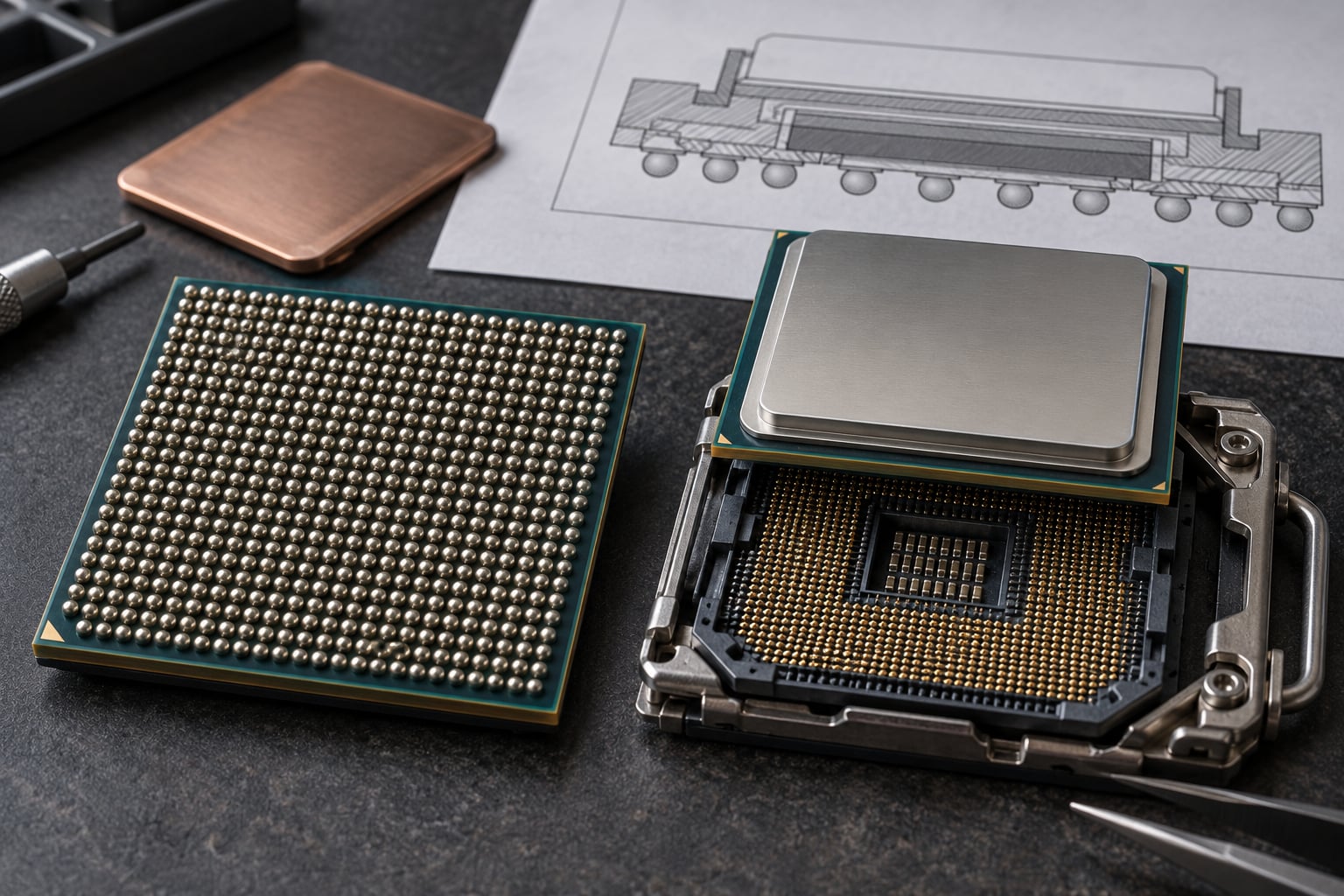
BGA vs LGA sockets explained in one sentence: a BGA (ball grid array) processor has solder balls on its underside that get reflowed permanently onto the motherboard, while an LGA (land grid array) processor has flat contact pads that press into a socket you can open with a lever. That single mechanical difference decides whether a chip can ever be replaced, how it sheds heat, and what happens when it dies.
Most of the confusion around these two packages comes from the word socket. LGA really is a socket. BGA is not, despite what spec sheets and retailer listings keep calling it. What follows is what each package actually is, how the real design differences show up in hardware you can buy, and which one to pick for a given job.
Table of Contents
- BGA vs LGA Sockets at a Glance
- What Is a BGA Package?
- What Is an LGA Socket?
- What Are the Key Differences Between BGA and LGA?
- Contact geometry decides the whole attachment model
- Pitch and I/O density favour BGA
- Footprint favours BGA, and it matters more than it sounds
- Signal integrity slightly favours BGA
- Assembly equipment is a real cost difference
- Mechanical stability favours BGA once the board is stiff
- Serviceability is the one difference users feel most
- How Do BGA and LGA Affect Thermal Performance?
- Which Method Is More Reliable?
- How BGA and LGA CPUs Are Replaced or Repaired
- Replacing an LGA processor takes about a minute
- Replacing a BGA processor is a board-level job
- BGA vs LGA Sockets Explained: Compatibility and Selection
- Which Should You Choose?
- Frequently Asked Questions
- Is LGA better than BGA for a desktop computer?
- Can an LGA processor be installed in a BGA socket?
- Why do manufacturers use BGA packaging in laptops and phones?
- Does BGA or LGA transfer heat better to a CPU cooler?
- Is replacing a BGA processor more difficult than replacing an LGA processor?
BGA vs LGA Sockets at a Glance
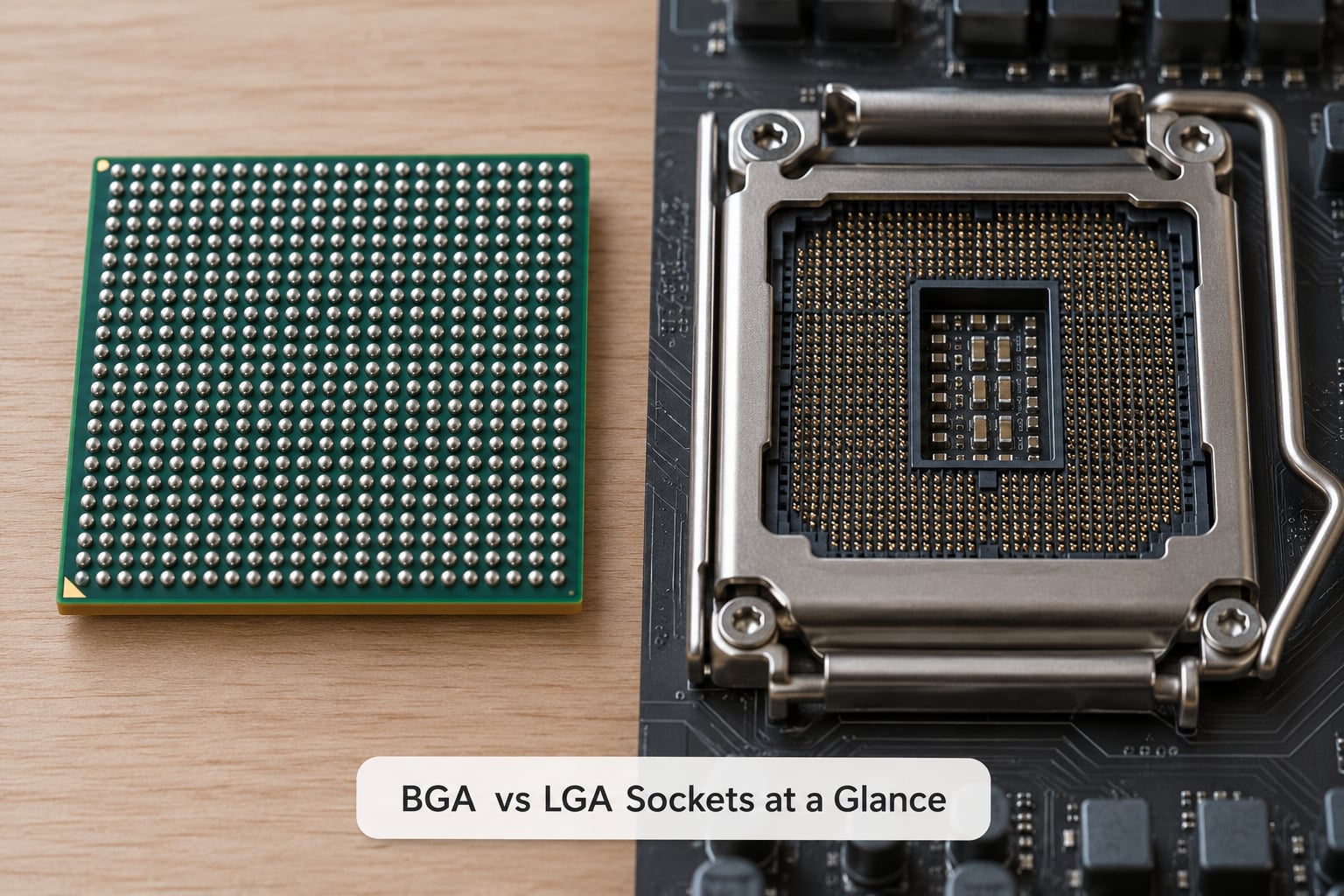
The table below is the short version. Each row is a physical property you can measure, see or feel, not a marketing claim.
| Attribute | BGA (ball grid array) | LGA (land grid array) |
|---|---|---|
| Contact type | Spherical solder balls on the underside of the package | Flat lands or contact pads on the underside of the package |
| Mating part | None. The package bonds straight to PCB pads | A motherboard socket with hundreds of spring contacts |
| How it attaches | Solder paste stencil, then a reflow oven or hot-air rework | Drop-in, held by a retention lever and load plate |
| Can you remove the CPU? | Not without workshop equipment | Yes, in about a minute, no tools required |
| Typical pitch | Fine, often 0.4 mm to 0.35 mm on mobile parts | Coarser, commonly 0.8 mm to 1.27 mm |
| Footprint | Small, roughly the die area plus a thin substrate | Larger, because the socket and backplate sit under the package |
| Signal path | Very short interconnect, low parasitic inductance | Longer path through socket contacts, more contact resistance |
| Heat path | Die to lid or heat spreader, then out through the board | Die to integrated heat spreader, into the socket base and cooler |
| Typical failure | Cracked solder joint from thermal cycling or board flex | Bent or corroded socket pin, damaged pad on the chip |
| Upgrade path | None once assembled | Swap the processor, sometimes add memory on the board too |
| Where you meet it | Laptops, phones, tablets, GPUs, FPGAs, most embedded boards | Desktop CPUs, server and workstation sockets, some memory modules |
| Best for | Thin, shock-tolerant, high-volume products where the processor is fixed for life | Desktops and servers where you want to service and upgrade the CPU yourself |
What Is a BGA Package?
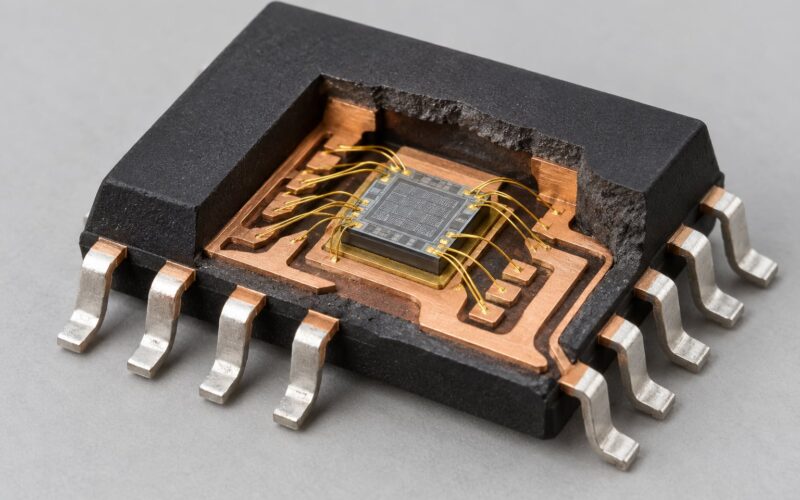
A ball grid array package is a surface-mount chip whose underside carries a grid of metal spheres instead of leads. Those spheres are the chip’s entire connection to the outside world: electrical and, in many designs, part of the mechanical anchor too.
Assembly is a manufacturing process, not a user action. A machine places solder paste through a stencil aligned to the ball pattern, the chip is set down, and the board goes through a reflow oven that melts the paste. The solder collapses onto the board pads and solidifies into a bond that is both electrical and structural. Nobody unbolts that later.
The number in a designation tells you the ball count. A part marked BGA1170 carries 1170 solder balls. Mobile system-on-chips, laptop processors, graphics packages, FPGAs and power devices all use this style of attachment because it packs a lot of connections into a small area and survives handling well once it is reflowed onto a board with stiffeners and stiff supporting components.
Callout: BGA is not actually a socket. There is no mating part, no retention lever and no contact interface. What a BGA processor plugs into is a board. If a listing calls a BGA part socketed, treat that wording as a marketing shortcut and check the manufacturer spec page before you buy.
What Is an LGA Socket?
A land grid array package is the mirror image of a BGA. Instead of solder balls, the underside of the chip carries a field of flat metal lands, and the motherboard carries a socket full of tiny spring contacts that press up onto those lands. Closing the metal lever loads the spring contacts so the connection holds at a controlled force.
Because the contact is a pressed mechanical interface rather than a solder joint, the processor can be lifted out. That is the whole reason desktops and servers have used it for decades: you can replace a failed chip, step up to a faster one, or reuse the same board for a different processor.
You will recognise the names. Intel desktop parts use LGA1151, LGA1200, LGA1700 and LGA2066. AMD moved to LGA-based sockets named AM4 and AM5, while the SP3 and sTRX4 designs serve servers and high-core-count workstation chips. LGA3647 turns up on some server memory modules, which is a common source of confusion. A designation like FCLGA1200 means a flip-chip land grid array with 1200 contacts.
What Are the Key Differences Between BGA and LGA?
The comparison collapses to a handful of physical facts, and each one produces a different design consequence. Here is how each difference actually plays out.
Contact geometry decides the whole attachment model
BGA uses solder balls in an area array, so every connection is a short vertical stub. LGA uses a flat land against a spring pin, so the connection is a pressed contact that can be made and broken repeatedly. That single choice forces everything else: the assembly line, the tools, the repair options and the upgrade path.
Pitch and I/O density favour BGA
BGA parts are built on a finer ball pitch, commonly 0.4 mm down to 0.35 mm for mobile silicon, which allows far more connections per square centimetre. LGA desktop sockets run coarser, typically around 0.8 mm to 1.27 mm, because the contacts have to physically survive being handled and pressed repeatedly.
Footprint favours BGA, and it matters more than it sounds
An LGA processor needs room for the socket, the load plate and usually a backplate in the board stack. A BGA processor sits almost directly on the board. On a phone or a thin laptop that difference in vertical height decides whether the machine fits its chassis at all.
Signal integrity slightly favours BGA
A solder ball is a very short interconnect with low parasitic inductance and capacitance. A socket contact adds length, spring travel and a small amount of resistance on every one of hundreds of paths. On a desktop CPU running at multi-gigahertz clock rates, the socket is designed very carefully to keep that extra length electrically transparent.
Assembly equipment is a real cost difference
Soldering a BGA part needs a stencil printer, a placement machine, a reflow oven and usually an X-ray inspection step, because you cannot see the joints. An LGA part is dropped into a socket that ships with the board, so no placement or inspection equipment is involved at assembly. The cost sits in the factory either way, just in different places.
Mechanical stability favours BGA once the board is stiff
Reflowed joints resist vibration well because the solder is a solid structural bond spread across the whole footprint. LGA depends on spring contact force and on the board, backplate and cooler pressure staying even, which is why mounting hardware matters so much on socketed platforms.
Serviceability is the one difference users feel most
An LGA processor is field-replaceable with a lever. A BGA processor is replaceable only by a technician with an air rework station, a board heater or hot plate, a stencil and a way to inspect the result. Nothing about the two package types makes one of them better engineering. One of them is simply cheaper to make at volume, and the other is friendlier to the person holding the screwdriver.
How Do BGA and LGA Affect Thermal Performance?
Neither package type is inherently cooler or hotter. The solder balls on a BGA are not a magic heat sink, and the socket on an LGA is not a thermal penalty worth writing a guide about. Heat leaves a processor through the lid or integrated heat spreader, and from there through whatever the manufacturer attaches next.
What actually decides temperature is the heat spreader, the thermal interface material, the cooler and the mounting pressure. On a socketed desktop, the integrated heat spreader is clamped flat against the socket base and the cold plate, so a bad mount or a missing washer shows up immediately as high temperatures and a throttling clock. On a BGA part, the same die is often cooled through the lid with a graphite or copper spreader, and the solder balls add a secondary path down into the board and its copper planes.
One difference does matter in practice: a socket adds stack height and a contact interface between the die and the cold plate, while a BGA package can be thin enough to cool from both sides. That is the only reason a phone or a laptop can run a hot chip without a fan. Neither connection type, on its own, makes one platform better for CPU cooling.
The risk profiles also differ. Uneven LGA mounting pressure can damage socket pins or the package lands, and a badly seated chip may never show a warning. On a BGA assembly, a thermal or mechanical shock can crack a solder joint instead, usually as a hidden fault that shows up as intermittent faults months later rather than as a dead part on day one.
Which Method Is More Reliable?
A soldered BGA board is not a reliability problem by default. Reflowed joints are metallurgically sound when the process is controlled, and a well-designed board keeps the joint away from the worst bending and thermal stress. The question is how it behaves over a service life, not whether it is better on day one.
Two mechanisms dominate long-term soldered-board failures. Thermal cycling expands the chip substrate and the board at different rates, and a thin joint can work loose after thousands of cycles. Mechanical flex does the same thing faster, which is why boards with large BGA parts usually get stiffeners, back plates and keep-out zones around the package so the board does not bend under the package.
Finding those faults is harder than testing a socket. A bent LGA pin is often visible to the naked eye and a processor swap immediately confirms the diagnosis. A cracked BGA joint is buried under the chip, so assembly lines use automated optical inspection for obvious defects and two-dimensional or three-dimensional X-ray to look at the solder column profile and voids under the ball. That inspection step is a real part of the cost of building a BGA board.
On the socketed side, the durability question moves to the socket. Fine contacts deform from repeated insertions, corrode in a damp or poorly ventilated enclosure, or get bent by a chip landing crooked when the lever is not fully raised. Keep the socket covered and clean and it will usually outlive several processors.
So separate the two failure domains. The processor package itself is not usually what dies on either platform. What differs is the interface: a replaceable mechanical contact versus a soldered one you cannot see or reach.
How BGA and LGA CPUs Are Replaced or Repaired
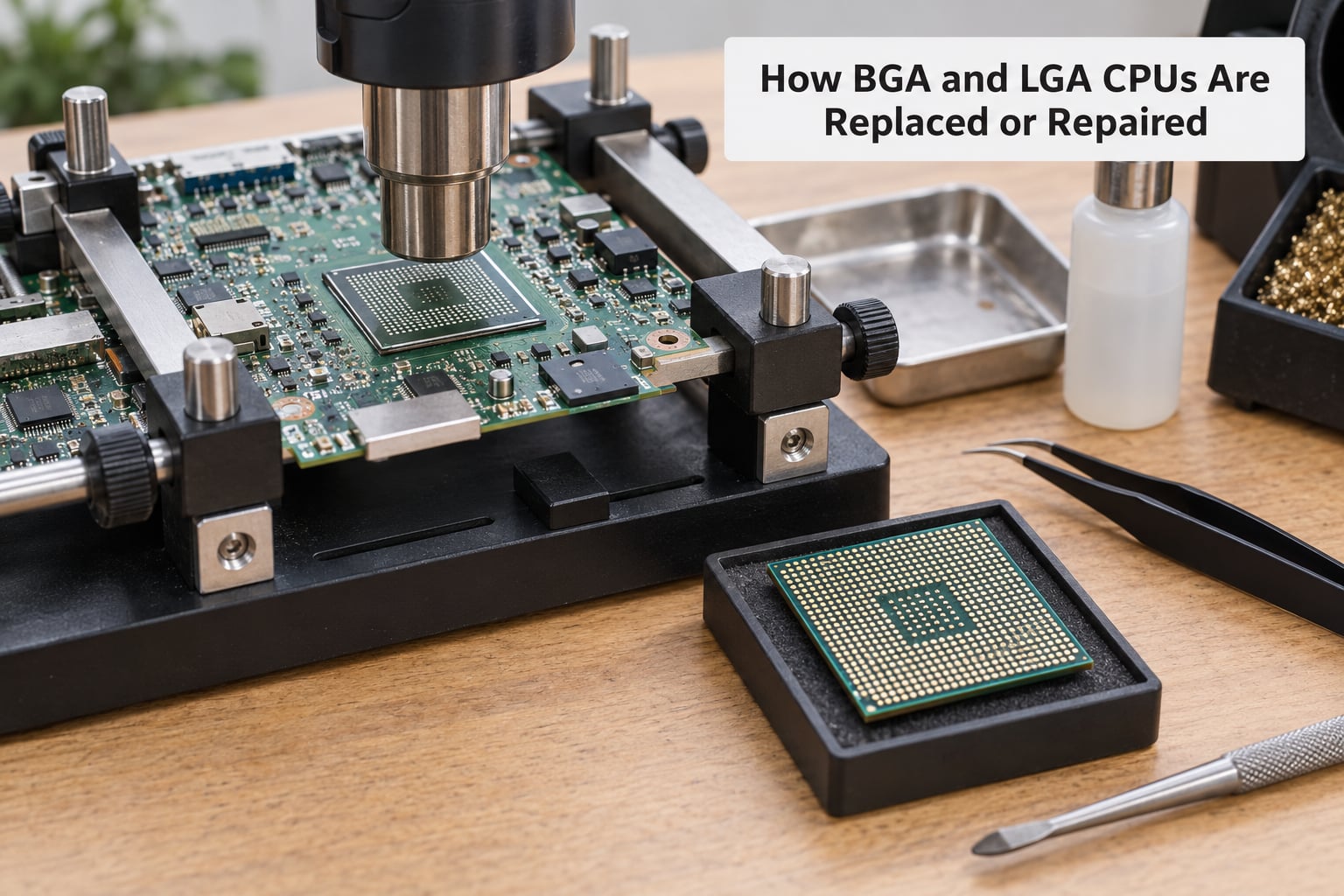
Replacing an LGA processor takes about a minute
Raise the retention lever fully so the load plate lifts clear, note the alignment notches or an L-shaped key cut in one corner, and lift the chip straight up. Never rock it. If a new processor goes in, check the socket pins under a light before you close the plate, because one bent contact can stop a board from detecting the CPU at all. Lower the plate, drop the lever, and the spring contacts are loaded evenly by design.
Replacing a BGA processor is a board-level job
Hot-air rework is the usual route. The board goes on a heater or a preheater platform, the chip is heated from above until the solder alloy melts, and it lifts off. A stencil and solder paste then rebuild the ball pattern, and the new package is placed and reflowed. Between those steps the board gets cleaned and inspected under X-ray, which is how you confirm the joints actually formed rather than assuming it.
On a laptop or phone board, where the package is small and the parts around it are tight, shops often use the BGA-on-LGA interposer trick seen on overclock.net. A thin adapter with contacts on one side and a ball pattern on the other lets a rework station treat a fine-pitch BGA part with the same hot-air setup used for desktop sockets. It also shows up as a hobbyist way to reuse mobile silicon on a socketed board, though you are trading away the warranty and the board’s original warranty-eligible assembly.
Before you commit to either, the honest summary is that LGA replacement is a two-minute job with no consumables, while BGA replacement is a skilled operation that costs real money when the part is not a known-good spare.
BGA vs LGA Sockets Explained: Compatibility and Selection
Socket compatibility is decided by the designation, not by the acronym. LGA1151 will not accept an LGA1200 chip, and no BGA part drops into any socket at all. If the plan is to reuse a board, confirm the exact socket name in writing before buying a processor.
Six inputs drive the choice, and they rarely point the same way at once:
- Upgrade plans. If you expect to change processors, memory or the whole platform over three years, LGA is the only option that lets you. BGA fixes the processor for the life of the board.
- Enclosure and thermal budget. Thin laptops, fanless mini PCs and space-constrained embedded boxes need the compact, low-profile BGA route. A socketed desktop platform needs a real heatsink and airflow.
- Mechanical environment. Devices that get dropped, vibrated or thermally cycled hard are usually built around BGA, since a reflowed joint tolerates shock once the board is reinforced.
- Service capability. A BGA board needs a shop with an air rework station and X-ray. If none is near you, that single fact can rule the platform in or out.
- Risk tolerance. Buying a used machine with a soldered CPU means accepting that a failed processor can end the board’s life, or at least hand it to a specialist.
- Volume and cost. At manufacturing scale, the BGA route is cheaper per unit once reflow capacity exists, which is why nearly all mass-produced devices use it.
For a used laptop, the same logic applies before you buy. Check the manufacturer specification page for the processor part number, then decode the package prefix: a part starting with FCBGA is a soldered flip-chip BGA, while FCLGA1200 is socketed. That one lookup tells you whether the machine is upgradeable at all.
Which Should You Choose?
Choose LGA for anything you plan to open: a desktop, a workstation, a server, a test bench or a system where a spare processor matters more than a millimetre of thickness. The mechanical contact is proven, the parts are interchangeable, and the upgrade path is real.
Choose BGA when the design is fixed at the factory, the enclosure is thin, the environment is rough, and the goal is the lowest cost and smallest footprint at volume. That covers phones, tablets, laptops, most embedded controllers and a large share of graphics and FPGA packaging.
Neither wins outright, and the framing itself sets the wrong expectation. One method is optimised for products that are built once and sold once, the other for products whose owner expects to touch the processor. Pick the one that matches how long you intend to keep the machine and how likely you are to upgrade it.
Frequently Asked Questions
Is LGA better than BGA for a desktop computer?
Yes, for a desktop, LGA is the better fit. The processor sits in a socket you can open by hand, so you can replace a dead chip, step up to a faster model and reuse the motherboard. BGA is soldered to the board and effectively fixes the processor for the life of the machine. The only reasons to pick a BGA desktop are a smaller enclosure or a sealed industrial case.
Can an LGA processor be installed in a BGA socket?
No, and there is no BGA socket to install it into. An LGA package has flat lands that need a socket with spring contacts, while a BGA package has solder balls that are reflowed directly onto the board during manufacturing. There is no mechanical or electrical path that lets one connect to the other. The one workaround hobbyists use is a BGA-on-LGA interposer adapter, which needs rework equipment.
Why do manufacturers use BGA packaging in laptops and phones?
Three reasons drive it: footprint, density and cost. A BGA package sits almost flat against the board, so the machine stays thin, and its fine ball pitch fits many more connections into a small area than socket contacts allow. At production volume, reflow and placement are cheaper and faster than handling a socket, and the soldered joint tolerates vibration once the board is reinforced.
Does BGA or LGA transfer heat better to a CPU cooler?
Neither connection type decides it. Heat leaves the die through the lid or integrated heat spreader, so cooler fit, thermal interface material and mounting pressure matter far more than whether the package is soldered or socketed. A well-mounted socketed cooler beats a badly mounted one, and a BGA package can cool well from the lid and through the board. Check mounting hardware quality, not the package label.
Is replacing a BGA processor more difficult than replacing an LGA processor?
Considerably. An LGA swap takes about a minute: raise the lever, lift the chip, check the socket pins, close the lever. A BGA replacement needs a preheater or hot plate, an air rework station, a stencil or reballing setup, a reflow cycle and an X-ray inspection to confirm the joints formed. That equipment and skill live in specialist repair shops, which is why a failed soldered CPU often ends the board.
Before you buy or swap any processor, read two markings and you will never have to guess again. The package code tells you the technology: FCBGA means a soldered flip-chip ball grid array, FCLGA1200 means a socketed land grid array with 1200 contacts, and a number like BGA1170 tells you the ball count. The socket name on the board tells you what it accepts, and the two have to match exactly.
After that, the choice is simple. Socketed for anything you will service, soldered for anything you will not.