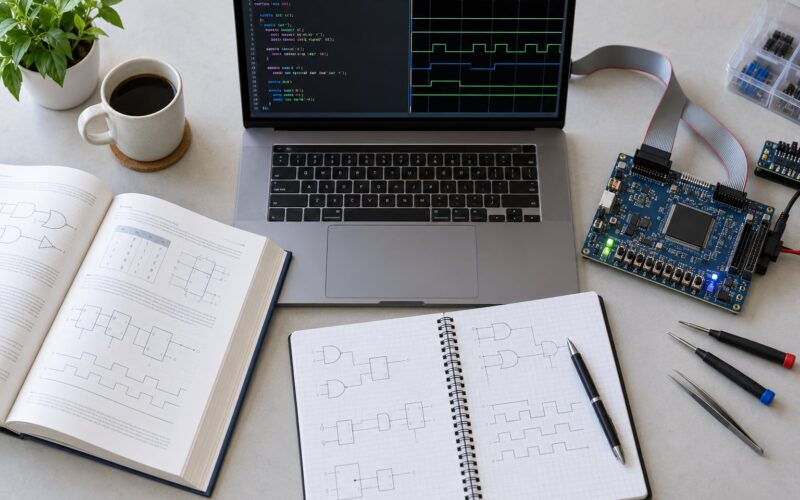
Free chip design tools for students are open-source and browser-based EDA programs that let you draw schematics, simulate circuits, write RTL, synthesise hardware and push a design all the way to GDSII layout without a paid licence. You can learn Verilog on a laptop, run an open ASIC flow to layout, and even reach silicon through shuttle programs.
That matters because commercial EDA is sold on annual per-seat licences that universities budget for separately, and a student working alone simply cannot get a seat. The open tools have quietly become good enough for real work. A small processor written in Verilog can be simulated with Icarus Verilog, checked with Verilator, synthesised with Yosys, and taken through place and route with OpenROAD against the Sky130 process kit. The same laptop does all of it.
I put this list together for students who hit the same wall: too many tools, no idea which one to install first, and no map of how the pieces connect. Everything below is free to download and run locally on Linux or WSL, or in a browser with nothing installed at all.
Table of Contents
- Free Chip Design Tools for Students at a Glance
- 1. KiCad for Circuit Schematics and PCB Design
- 2. LTspice for Analog Circuit Simulation
- 3. ngspice for Open-Source SPICE Simulation
- 4. Verilator for Fast RTL Simulation and Verification
- 5. Icarus Verilog for Learning Verilog
- 6. GHDL for VHDL Learning and Simulation
- 7. Yosys for Synthesizing Digital RTL
- 8. OpenROAD for Automated Chip Layout Exploration
- 9. OpenLane for an Open-Source ASIC Flow
- 10. SkyWater SKY130-PDK for Hands-On Silicon Design
- How to Choose the Right Free Tool for Your Project
- If you are building a physical board
- If the project is analog or mixed-signal
- If you are learning RTL and the deliverable is behaviour
- If you want to prove a design rather than just run it
- If the goal is a real chip layout
- Frequently Asked Questions
- Can I learn VLSI without paying for EDA tools?
- Do I need Linux to use open-source VLSI tools?
- Which is the best open source tool to learn Verilog or VHDL?
- Can open source tools replace commercial EDA tools?
- Is EDA Playground free, and is it enough for a student?
- How do I get from Verilog to GDSII for free?
- Where to Start This Week
Free Chip Design Tools for Students at a Glance

These ten tools cover the whole student journey, from the breadboard stage to a tapeout-ready layout. The table below shows what each one is actually for, which part of the flow it belongs to, and where it runs.
| Tool | Main discipline | Best student project | Platform | Simulation | Layout |
|---|---|---|---|---|---|
| KiCad | Schematic capture and PCB layout | Sensor interface board | Linux, macOS, Windows | No | PCB |
| LTspice | Analog SPICE simulation | RC filter or op-amp stage | Linux, macOS, Windows | Yes | No |
| ngspice | Open-source SPICE simulation | Transistor-level amplifier | Linux, macOS, Windows | Yes | No |
| Verilator | RTL simulation and linting | FIFO or ALU testbench | Linux, macOS, WSL | Yes | No |
| Icarus Verilog | Verilog simulation | First RTL module and testbench | Linux, macOS, Windows | Yes | No |
| GHDL | VHDL analysis and simulation | Traffic-light state machine | Linux, macOS, Windows | Yes | No |
| Yosys | RTL synthesis | Gate-level netlist from Verilog | Linux, macOS, WSL | No | No |
| OpenROAD | Place and route, timing | Floorplan a small core | Linux, WSL | Timing only | Yes |
| OpenLane | End-to-end ASIC flow | RTL to GDSII in one command | Linux, Docker | Yes | Yes |
| Sky130 PDK | Process design kit | Tapeout-ready layout target | Files, any platform | Corner models | Rules |
One note on ordering. Students who jump straight into the physical flow end up buried in reports before they understand the RTL. Simulation first, then synthesis, then layout. That order is not bureaucracy; each stage only makes sense once the previous one works.
1. KiCad for Circuit Schematics and PCB Design
KiCad is the free tool you want if your project ever touches a physical board. It ships with a schematic editor, a PCB layout editor, a symbol library and a footprint library, and it is licensed under GPL with no seat limits and no feature gates.
The workflow is the same one you would use in a commercial schematic tool. You place symbols, wire them into nets, assign footprints to each part, then pass the annotated schematic into the board editor. Crossing the boundary generates a netlist, so changes on the schematic side flow through to layout instead of you maintaining two copies of the design by hand. That single feature is where most of the value sits.
A good first project is a small sensor interface: a microcontroller, a sensor header, some decoupling, an LED indicator and a power section. It forces you to learn symbol creation for anything missing from the library, which is a skill you will need repeatedly. Exporting fabrication files and a bill of materials comes with the tool, no add-on required.
2. LTspice for Analog Circuit Simulation
LTspice is a SPICE simulator from Analog Devices that runs free on all three desktop platforms, including Windows natively, which is unusual in a field where most EDA assumes Linux. It is the tool most students meet first when their project involves op-amps, filters or power stages rather than logic.
You draw the schematic, place probes on nodes, and run a transient, AC, DC or transient sweep analysis. The simulation runs, plots appear, and you drag cursors onto the waveforms to read values. Because the model libraries ship with the parts, a capacitor from any major vendor behaves like the real component without you hunting for a model file.
Start with a passive before you start with anything clever. Build a first-order RC low-pass filter, sweep the AC response across a decade, and check that the corner frequency matches the resistance and capacitance you chose. Then add a second stage and watch how loading changes the result. That single experiment teaches more about analog design than a chapter of theory, and it takes an afternoon.
3. ngspice for Open-Source SPICE Simulation
ngspice is the open-source counterpart to LTspice. It is GPL licensed, actively maintained, and it accepts the same netlist syntax plus a good deal more, including behavioural models, digital mixed-mode blocks and scripting hooks that LTspice does not expose the same way.
What sets it apart for students is the command line and the file formats. A circuit can be defined entirely in text, which means it drops straight into a Git repository, runs the same way in continuous integration, and can be swept in a loop overnight without anyone watching a GUI. Results export in a form other tools can read.
For a repeatable experiment, take a common-source amplifier, write the netlist by hand, sweep the input and output bias points, and record the gain, the output swing and the headroom in a small table. Change the bias current, re-run, and add a row. What began as one circuit becomes a study of how bias trades off against linearity, and every number in it is reproducible because the whole setup is text.
4. Verilator for Fast RTL Simulation and Verification
Verilator takes Verilog and SystemVerilog and translates it into C++ or SystemC rather than interpreting it event by event. That is why it runs orders of magnitude faster than an event-driven simulator on large designs, and why it is the tool most verification engineers reach for once a design stops being a class project.
It also runs as a linter, which is the mode beginners underuse. Before you simulate anything, Verilator will tell you about width mismatches, undriven signals, blocking assignments inside sequential blocks and unused wires. Those warnings catch the bugs that would otherwise show up three weeks later as an unexplained mismatch between two counters.
A concrete use case: build a synchronous FIFO with a write and a read pointer, wrap it in a C++ testbench that pushes and pops a few thousand items while randomly injecting backpressure on the output, and check that nothing is ever duplicated or lost. Lint the FIFO first, then simulate. If a test fails, the waveform still needs GTKWave, but the failure itself appears in seconds rather than minutes.
5. Icarus Verilog for Learning Verilog
Icarus Verilog is a compiler and simulator for Verilog, and it is the tool most students meet first because it is nearly impossible to get wrong. It installs from the standard package manager on Ubuntu, from Homebrew on macOS, and from a Windows installer, and it needs no environment setup beyond a path to your testbench.
The cycle is short: compile your design and your testbench together, run the resulting simulation, and dump a VCD waveform file that opens in GTKWave. Because the whole loop takes seconds, you can iterate on an FSM, a shift register or an ALU all afternoon and actually see which change fixed the bug.
It is honest about its limits. Coverage of the SystemVerilog assertion and constrained-random features you would use professionally is partial, which is why experienced users graduate to Verilator or a commercial simulator once verification gets serious. For learning the language, testing a module you wrote yourself and finishing a final-year project, it is more than enough, and it will not distract you with a licensing problem at midnight the night before submission.
6. GHDL for VHDL Learning and Simulation
If your course teaches VHDL rather than Verilog, GHDL is the answer. It analyses and simulates VHDL, it is GPL licensed, and binaries exist for Linux, macOS and Windows. The workflow mirrors a real toolchain: you analyse the design to check that it elaborates, then elaborate it to produce the simulation model, then run it against a testbench.
The three-step separation is actually the teaching point. When analysis fails, the problem is in the source. When elaboration fails, the problem is usually generic or port related. When the run fails, the problem is behavioural. Students who learn that distinction in their first month avoid a lot of blind debugging later.
A good exercise is a traffic-light controller. Model three outputs, one timer and a small state type, write a testbench that advances the clock and checks the state sequence at each transition, and confirm it through the waveform when a sequence fails. The state machine is simple enough to reason about completely, which means any bug you find is a bug in your Verilog or VHDL habits rather than in your design intent.
7. Yosys for Synthesizing Digital RTL
Yosys is the open-source synthesis workhorse. It reads Verilog, builds an internal representation of the circuit, optimises it, and can map it onto the flip-flops and gates of a target library. It is the tool that answers the question every student eventually asks: how big is my design in real hardware?
Run it in script form, and it is easy to script. A typical session reads your Verilog, runs a techmap pass that lowers behaviour into simple gates, converts flip-flops into the flip-flop cells of a standard-cell library, runs a generic optimisation, and writes a gate-level netlist plus a cell usage report. That report is the interesting output. A design you thought was small can turn out to need far more flip-flops than expected, and that lesson lands better in a cell count than in a guess.
Yosys is also where you meet the first honest limit of writing RTL without thinking about hardware. Inferred latches appear because an always block was missing an else. Shift operations become enormous barrel shifters because you wrote a loop that a human would never build in gates. Synthesis shows you both. It is the same Yosys inside OpenLane, so learning it directly is never wasted effort.
8. OpenROAD for Automated Chip Layout Exploration
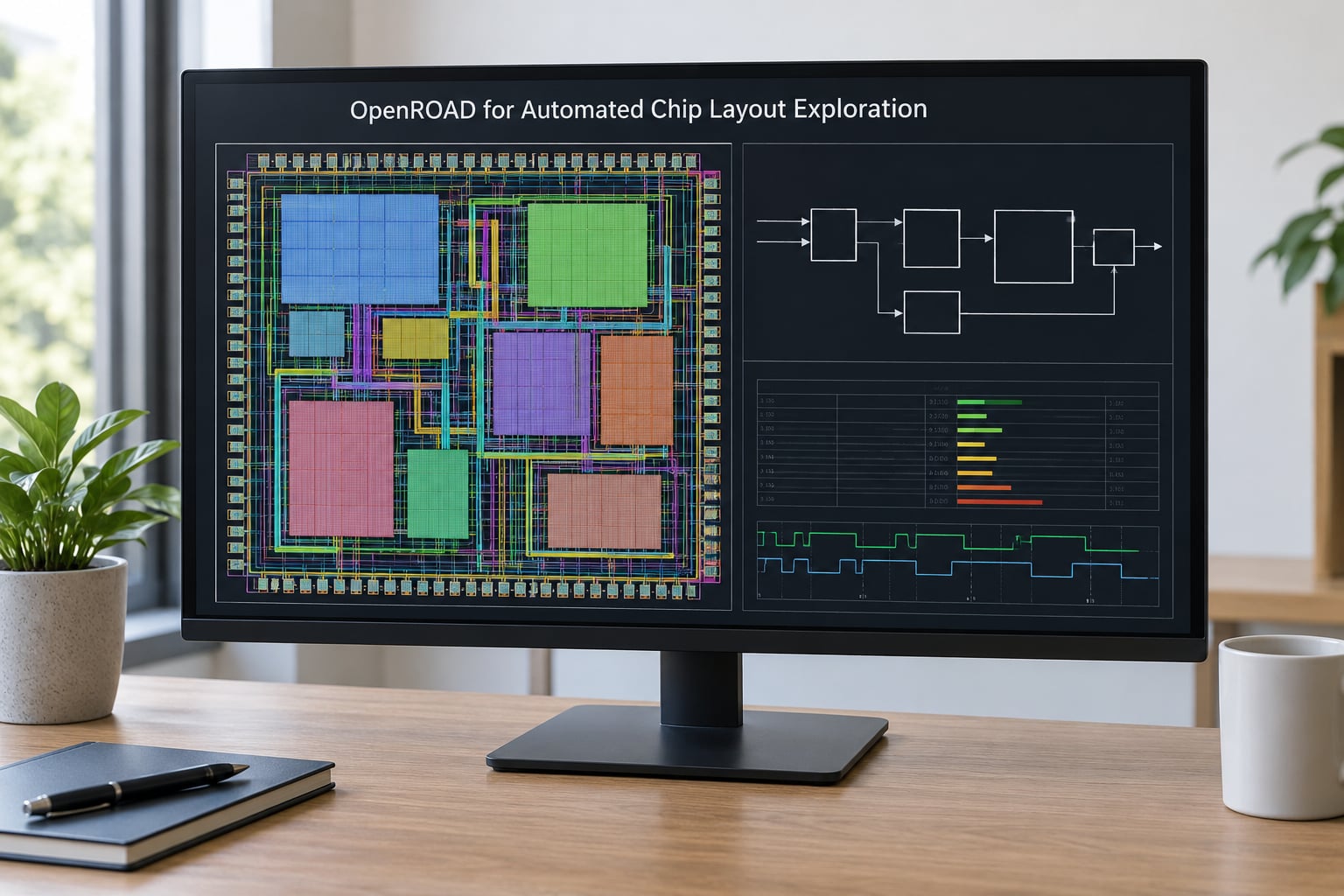
OpenROAD performs automated physical design: it reads a netlist and standard-cell library, decides where each cell goes, routes the connections between them, builds the clock tree, and reports timing as it goes. It grew out of research work with DARPA backing and is now used well beyond academia, which is a good signal for anyone weighing the career value of learning it.
The bundled OpenSTA engine gives you a real static timing analysis picture. Setup and hold slack, critical path length, clock skew, congestion. Reading a timing report is a genuine professional skill, and the reports are produced in the same formats commercial tools use, so nothing you learn here is throwaway.
For a student project, floorplan a small block, set a target frequency, and try to hit it. Then break it deliberately by making the design bigger and watch the timing report slide. Congestion is the lesson people remember: routing is not free, and the cost of a floorplan decision shows up as numbers in the report rather than as an opinion.
9. OpenLane for an Open-Source ASIC Flow
OpenLane packages the open-source ASIC flow into a single repeatable command. It calls Yosys for synthesis, OpenROAD for floorplanning, placement and routing, Magic or KLayout for layout checks, and a set of scripts that tie the stages together and generate the final GDSII.
That packaging is what makes it realistic for a student. Running each stage by hand teaches you the flow in depth, but it also means debugging a dozen configuration files before you see a single layout. OpenLane gives you a working end-to-end result on day one, and you can open any stage and study the configuration later, once you know what the output is supposed to look like.
Treat it as a teaching container. A small processor core written in Verilog is the standard choice: run the flow, open the layout, look at how a tiny block of logic became a floorplan full of standard cells and metal layers. Then change one thing, such as the target die size or the cell padding, run it again, and measure the difference in area, timing and routing congestion.
10. SkyWater SKY130-PDK for Hands-On Silicon Design
Sky130 is not an application, it is a process design kit: the rulebook that describes how a real fabrication process works. It contains standard-cell libraries, the Liberty timing files, the design rule deck, the device models and the layer definitions that every tool above reads.
That distinction trips up beginners. Synthesis needs the Liberty files to know what a cell can do and how fast it switches. Layout needs the design rules to know how close two metal wires may sit. Simulation of the final netlist needs the transistor models. You cannot run a complete open ASIC flow without a PDK, and Sky130 is the reason the open flow can produce something fabricatable.
It arrived as part of a Google project with Efabless and has since become the default target for open silicon. The payoff for a student is reach, not just learning: a design that passes the open rules can be submitted to a shuttle run such as TinyTapeout, where a small block is fabricated alongside many others. Committing a design to real silicon teaches post-layout timing and design rule closure in a way no simulation ever will.
How to Choose the Right Free Tool for Your Project
Start from where you are, not from the tool with the longest feature list. The question is what the project has to produce at the end.
If you are building a physical board
KiCad is the only one of these ten tools that handles schematics and printed circuit boards. If the deliverable is a board with a sensor, a display or a connector on it, start there and ignore everything else in this list.
If the project is analog or mixed-signal
Use LTspice for the fastest path to a working result and for Windows support, or ngspice if you need scripting, batch sweeps and version-controlled netlists. Add KiCad later to lay the circuit out.
If you are learning RTL and the deliverable is behaviour
Begin with Icarus Verilog and view the output in GTKWave. Add Verilator once the design grows past a few thousand lines or you want lint warnings. GHDL is the equivalent starting point if your course uses VHDL.
If you want to prove a design rather than just run it
Verilator for fast random and directed testing in C++, cocotb if you would rather drive your testbench from Python, and SymbiYosys for formal property checking when you want a solver to prove a property holds for every possible input rather than for the ones you thought to write.
If the goal is a real chip layout
The path is Yosys for synthesis, OpenROAD or OpenLane for physical design, and the Sky130 PDK as the process target. Add KLayout or Magic for inspecting and editing the layout. Budget weeks rather than days for the first run, and read the logs rather than guessing at the errors.
Two rules hold across every path. Keep your RTL in Git from the first commit, because a broken synthesised version you cannot compare against the working one will cost you a weekend. And build your own verification, whether that is a testbench, a waveform you actually read, or a formal property, since a design that has never been checked is a guess.
Frequently Asked Questions
Can I learn VLSI without paying for EDA tools?
Yes. Every stage of the classic flow, from RTL simulation through synthesis to place and route and GDSII output, can be done with open-source software on a laptop. Commercial tools are faster and broader, but they are not required to learn the craft, finish a final-year project, or reach real silicon through a shuttle run.
Do I need Linux to use open-source VLSI tools?
Linux is the smoothest path, and most of these tools assume it. Windows students should use the Windows Subsystem for Linux, which gives a full Linux userland without dual-booting. KiCad, LTspice, Icarus Verilog, GHDL and ngspice all have native Windows builds, so a board-level project can stay entirely on Windows.
Which is the best open source tool to learn Verilog or VHDL?
Start with Icarus Verilog for Verilog and GHDL for VHDL, then pair either with GTKWave to read the waveforms. They are lightweight, install cleanly and give fast feedback, which is what matters while you are still learning the language. Move to Verilator when designs get large or when you want lint checking.
Can open source tools replace commercial EDA tools?
Not for tapeout signoff at a commercial foundry, where certified DRC, LVS and timing signoff are required. For learning, academic research, prototypes, FPGA work and open shuttle fabrication, they are genuinely sufficient. Verilator even runs inside large technology companies, though most production flows still use commercial signoff tools at the final stage.
Is EDA Playground free, and is it enough for a student?
EDA Playground is free and runs simulators and synthesis in the browser with nothing installed, which makes it a good place to try a first Verilog module or testbench in the same afternoon. Keep your own projects locally, because online sessions come with library, file size and runtime limits that will bite during a final-year project.
How do I get from Verilog to GDSII for free?
Write and test your RTL in Icarus Verilog, synthesise it to a gate-level netlist with Yosys against the Sky130 standard-cell library, then run OpenROAD or the packaged OpenLane flow for floorplanning, placement and routing. The result is a GDSII file you can open in KLayout or Magic, run design rule checks on, and submit to a shuttle run.
Where to Start This Week
Install Icarus Verilog and GTKWave today and simulate one small module you did not write, then write your own four-bit counter with a testbench. Once that runs, open the waveform and read it properly. After that, run your design through Yosys and look at the cell report, because that report changes how you write RTL from then on.
The rest of the free chip design tools for students will still be there in a month, and they are easier to learn once the first stage is boring to you. Updated for October 2026, this list reflects the tools students can genuinely run end to end today.